
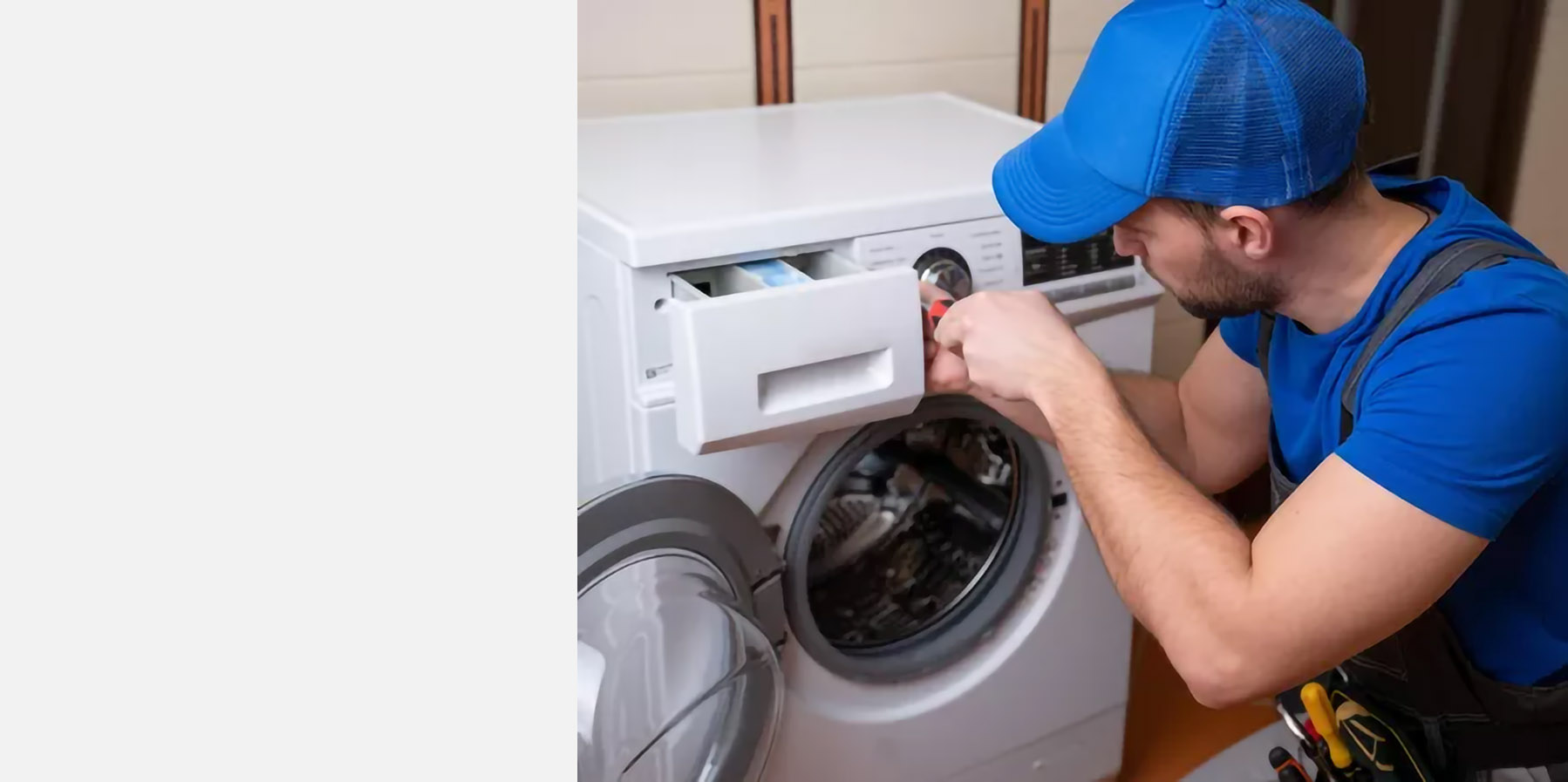
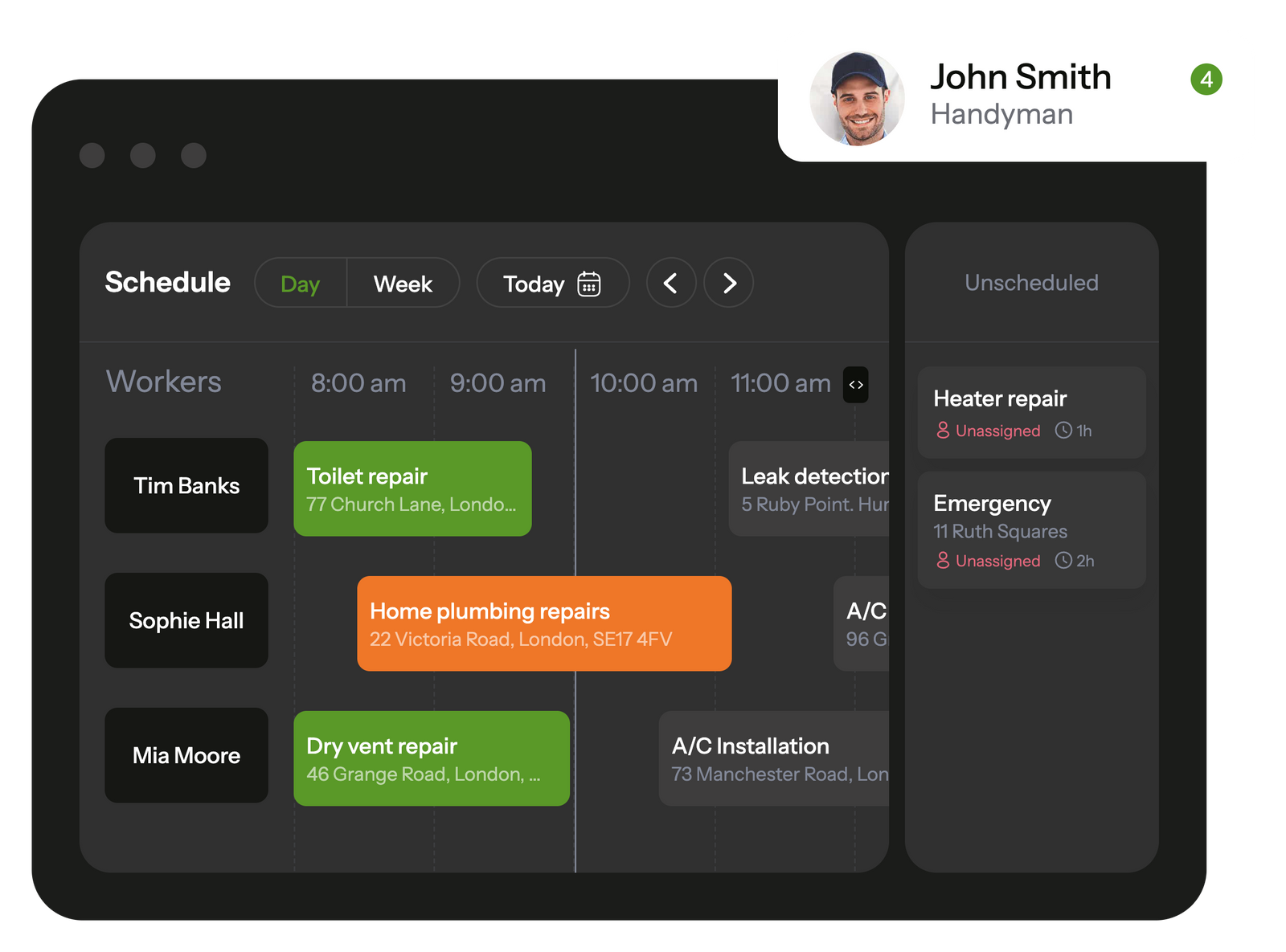
Planado simplifies task management and allows to control handyman service schedule in a few clicks
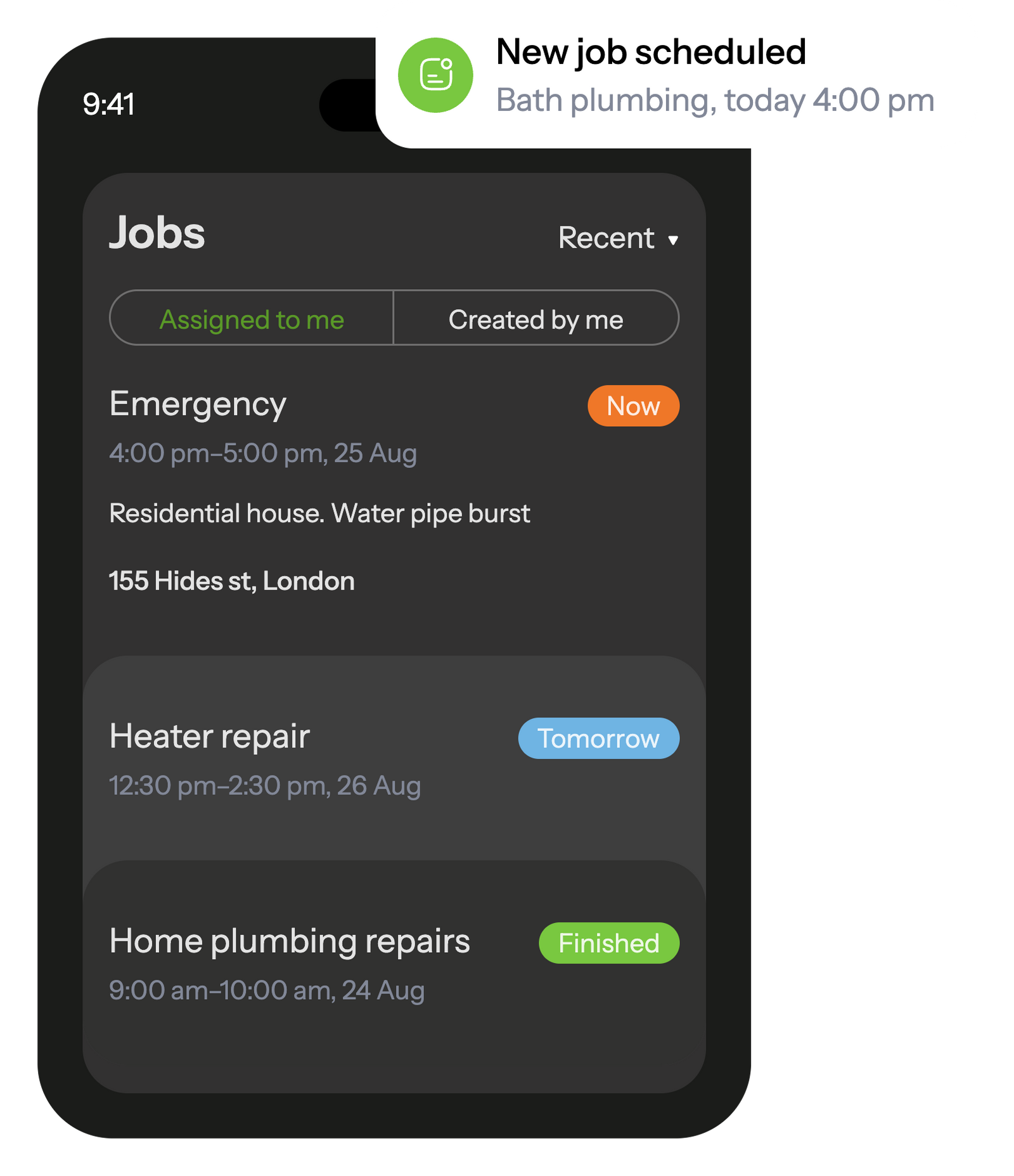
In the mobile app, your handyman see all scheduled tasks and receive notifications about new assignments.
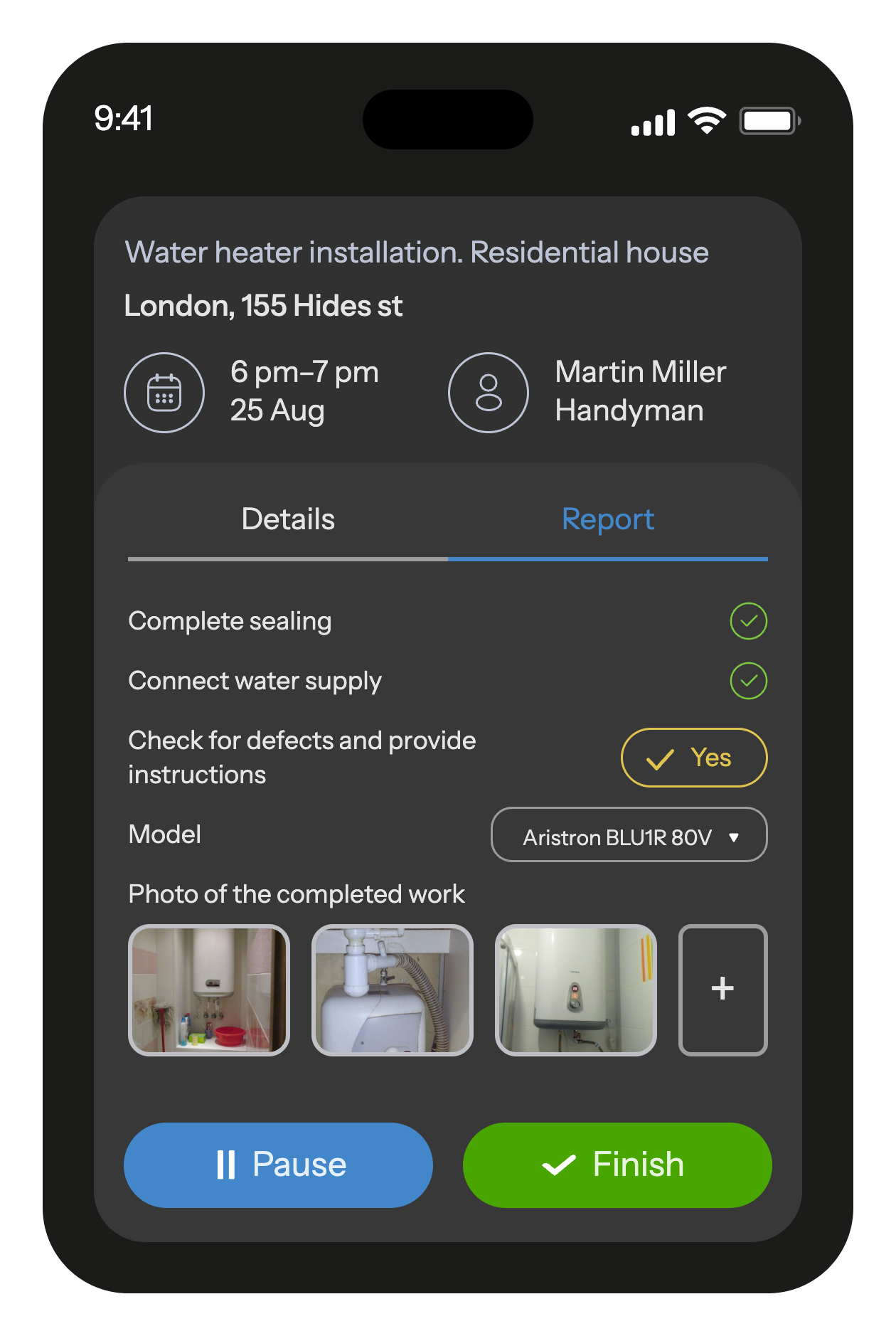
The built-in job checklists ensure that workers won't overlook any tasks on their to-do list.
When a task is completed, the employee fills out a customizable report with photos and other fields that is automatically saved in the database and transmitted to the office.

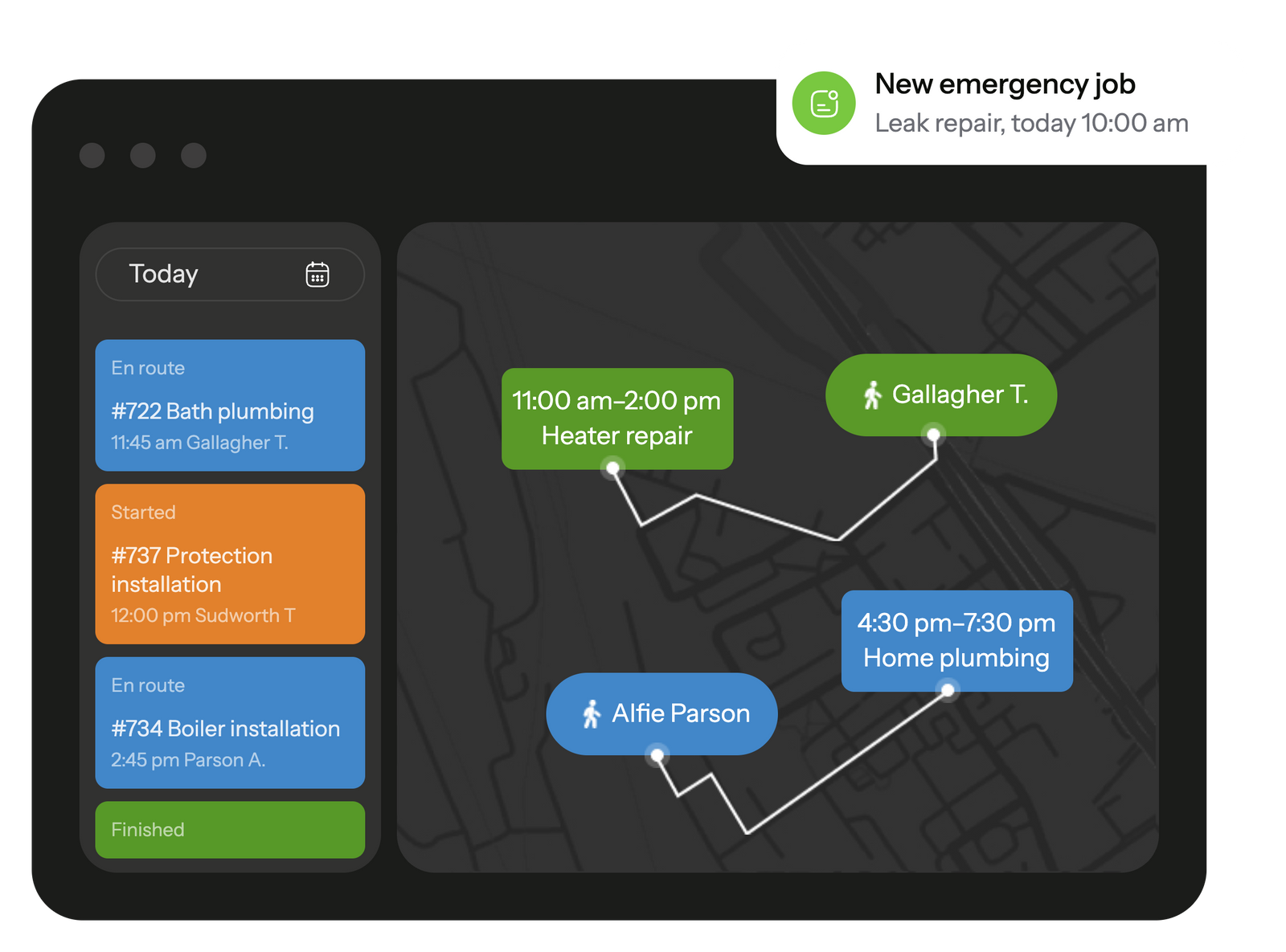
Track your employees' trip during working hours, schedule jobs to your workers based on their location right on the map. Task and movement history is recorded and available at any time
GPS location tracking helps calculate mileage and assign the closest worker to an urgent job.
When worker starts the job, he will receive a checklist with the list of actions so he doesn't forget anything to do.
After completion, he will fill out a customizable report with photo, text and other various field types.
All reports with photos and other fields are saved in a database and can be useful, for example, in case of a warranty visit

 Tasks management SchedulingEmployee GPS tracking Employee's mobile appChecklists & reportsTeams & work shiftsCustomer notifications Create jobs in mobile appCRM integrationMileage trackingDocuments signing Recurring jobsProduct catalog and pick listAPI & Webhooks
It gives your team one place to check jobs, updates, and instructions instead of relying on scattered notes. Technicians know what’s expected before they arrive, and the office can track progress without constant calls. If your days feel disorganized, this type of system is an easy way to bring order back in.
Yes, most platforms let you assign jobs to different crews and see who’s free without guessing. It keeps routes reasonable and prevents two teams from landing at the same address by mistake. If you manage several locations, it’s worth testing how the schedule looks inside the app.
A handyman CRM keeps past visits, notes, and photos in one place so you can answer client questions without digging. Customers get clearer updates, and returning jobs are easier to handle because nothing gets lost between visits. If you rely on repeat work, a CRM can remove a lot of friction.
It can. Technicians create estimates on-site and send them right away instead of waiting to return to the office. That cuts delays and helps clients approve work faster. If quoting slows your jobs down, this tool may help you close tasks sooner.
Simple scheduling, job notes, checklists, and quick reporting usually cover most needs. Small teams benefit from tools that don’t add extra admin work but keep everyone aligned. Look for something you can set up in an afternoon and start using right away.
They replace repeated manual tasks – confirming schedules, collecting photos, rewriting notes – with automatic updates and cleaner reports. Owners spend less time double-checking completed work and more time managing the business. If paperwork eats your evenings, automation helps reclaim that time.
Most solutions connect with popular CRMs or accounting tools so job details and invoices stay consistent. It helps avoid entering the same information twice and keeps records cleaner. If integrations matter to you, try them during a trial to see how smoothly the data moves.
Running a handyman business looks simple from the outside, but anyone who works in the field knows how quickly the day fills up with shifting appointments, missed details, and back-and-forth messages. That’s where handyman software starts to make a difference. Instead of juggling calls, notes, and photos across different apps, everything that matters – tasks, updates, client details – stays in one place. For growing teams, this kind of structure turns a messy workflow into something far easier to control.
Many companies reach the point where spreadsheets and group chats can’t keep up. Jobs get mixed up, time goes missing between visits, and customers wait longer than expected. With handyman business software, the rhythm of the workday becomes steadier: technicians know exactly what they’re walking into, and the office sees progress without chasing updates. Even small teams benefit from a clearer picture of what was done, what’s next, and who is available.
Scheduling remains one of the toughest parts of the job, especially when urgent calls appear out of nowhere. A handyman scheduling software helps you adjust plans quickly without disrupting the entire day. And when a tool like Planado ties scheduling, reporting, and communication together, the whole operation feels lighter – not because the work is easier, but because the process finally supports the people doing it.
Most handyman teams deal with the same pattern every day: a long list of visits, shifting priorities, and bits of information scattered across chats and screenshots. Handyman software helps bring these moving parts together so you’re not guessing who is free, what was already done, or which client asked for a follow-up. The office gets clearer visibility, technicians walk into jobs with the right details, and small tasks stop slipping through the cracks. When the basics run smoothly – assignments, notes, updates – the entire day feels more predictable.
A good handyman business software keeps field work straightforward. Technicians can open the app, see their route, read job notes, and upload photos without switching between tools. The office sees real-time statuses instead of waiting for end-of-day messages. And because everything – checklists, materials, comments – stays attached to the job, follow-up visits don’t start from zero. For teams that handle repairs, installations, and small improvement projects, this structure cuts down the noise and helps everyone stay aligned.
As a handyman business grows, the weak spots in day-to-day coordination become painfully obvious: jobs overlap, updates get lost, and the office spends too much time checking whether work is actually done. Handyman business management software helps fix this by giving teams a single place to track tasks, notes, and progress. You don’t have to chase technicians for updates, and they don’t have to guess which job should come next. It creates a steadier rhythm that small teams often lose once the workload increases.
Planado fits naturally into this setup by keeping job details, site photos, estimates, and status updates within the same workflow. Managers get a clearer view of who’s busy, who’s available, and which jobs are slipping behind schedule. Technicians get instructions that are easier to follow, without digging through old messages or outdated spreadsheets.
For growing teams, that structure matters. It reduces the number of small mistakes that pile up over the week and helps distribute work more fairly. When everyone knows what needs to be done and where things stand, jobs move faster – and clients notice the difference.
Small mistakes tend to snowball in handyman work – a skipped step, a missing photo, or a note that someone meant to pass along but didn’t. Handyman management software helps keep those details from slipping through. Technicians see clear task lists, office staff get timely status updates, and both sides share one version of the job instead of piecing things together from calls and messages. It doesn’t replace experience, but it makes it much easier to stay organized on busy days.
Most delays in handyman work come from simple things: a job that took longer than planned, someone stuck across town, or a task that never made it onto the board. Handyman scheduling software helps you spot these issues sooner. Instead of trying to piece together the day from messages and notes, you can see who’s free, who’s running late, and which jobs can be moved without throwing everything off. Planado fits into this routine naturally – updates reach technicians quickly, and the office has a clearer view of what can be reshuffled before the day slips out of rhythm.
If you often find yourself patching the schedule on the fly, take a moment to see whether handyman service software could take some of that weight off. A short trial with Planado is usually enough to notice whether a more structured workflow makes your day easier to handle.
Most jobs end the same way: a technician finishes up, snaps a few photos, writes a note, and promises to “send everything later.” That’s usually where delays creep in. Handyman service software puts some order into this final stage. Reports, checklists, and before-and-after photos land in the system right away, so the office doesn’t spend the evening chasing missing details. It also makes estimates smoother – instead of writing them from scratch, the technician can pull from templates or past jobs and send a clean quote while still on site. Planado helps teams keep this flow steady by letting technicians wrap up work without juggling extra tools or apps.
For many small teams, invoicing is the step most likely to slip to “later tonight” – and later often never comes. Handyman invoice software shortens that gap. A technician can create a quick estimate, adjust the line items, and send it off without waiting to return to the office. The same goes for payments: customers appreciate when they can close the job right away instead of waiting for follow-up emails. This small shift reduces backlogs and keeps cash flow from stalling in busy weeks.
A strong CRM for handyman business helps you keep track of the small details clients mention once and expect you to remember forever – old repairs, preferred time windows, gate codes, or materials you used last season. Instead of storing this in separate notes, everything sits in one place, ready when the next request comes in. It simplifies conversations too: the office doesn’t have to ask the same questions again, and technicians walk in knowing the history of the job. Planado ties these details to each visit so follow-up work feels faster and more organized, which is often what brings clients back.
Relying on calls, scattered chats, and handwritten notes works only while the workload is small. As soon as the pace picks up, gaps appear – missed messages, duplicate jobs, unclear priorities. Handyman field service software fills those gaps by giving the team one shared workflow. Everyone sees the same schedule, the same updates, the same job details. That consistency makes a noticeable difference in how smoothly the week runs, especially when multiple jobs overlap or technicians switch sites mid-day.
A big portion of a handyman’s day has nothing to do with fixing things – it’s the paperwork around the job that eats up time. Handyman software solutions lighten that load by automating checklists, syncing photos automatically, and keeping all job notes tied to the right task. Instead of spending evenings writing reports or searching for missing information, the team wraps up sooner, and the office gets clean documentation without extra follow-ups. Over a month, those saved minutes add up to a surprisingly large amount of reclaimed time.
When a handyman business grows, the pressure on scheduling, job control, and client communication grows with it. Planado helps you steady that pace by giving your team one place to manage tasks, track progress, and record job details without chasing information across messages or handwritten notes. Technicians see what needs to be done, the office sees what’s already finished, and clients get clearer updates. Most teams notice the difference within the first week – fewer missed steps, faster turnaround, and workdays that feel more organized.
Planado also adapts to different workflows instead of forcing you into a rigid template. You can build checklists for repairs, maintenance jobs, installations, or multi-stop routes; add photos that flow straight into reports; and adjust roles so supervisors get oversight without slowing down the crew. It’s a practical setup for small teams trying to stay on top of a growing workload and for larger companies that need more structure without adding extra admin tasks.
If you want to see how a cleaner workflow changes your day-to-day operations, try Planado with your own jobs and team structure. A free trial lets you test scheduling, reporting, and field coordination the way you actually work – and decide which parts save you the most time.