
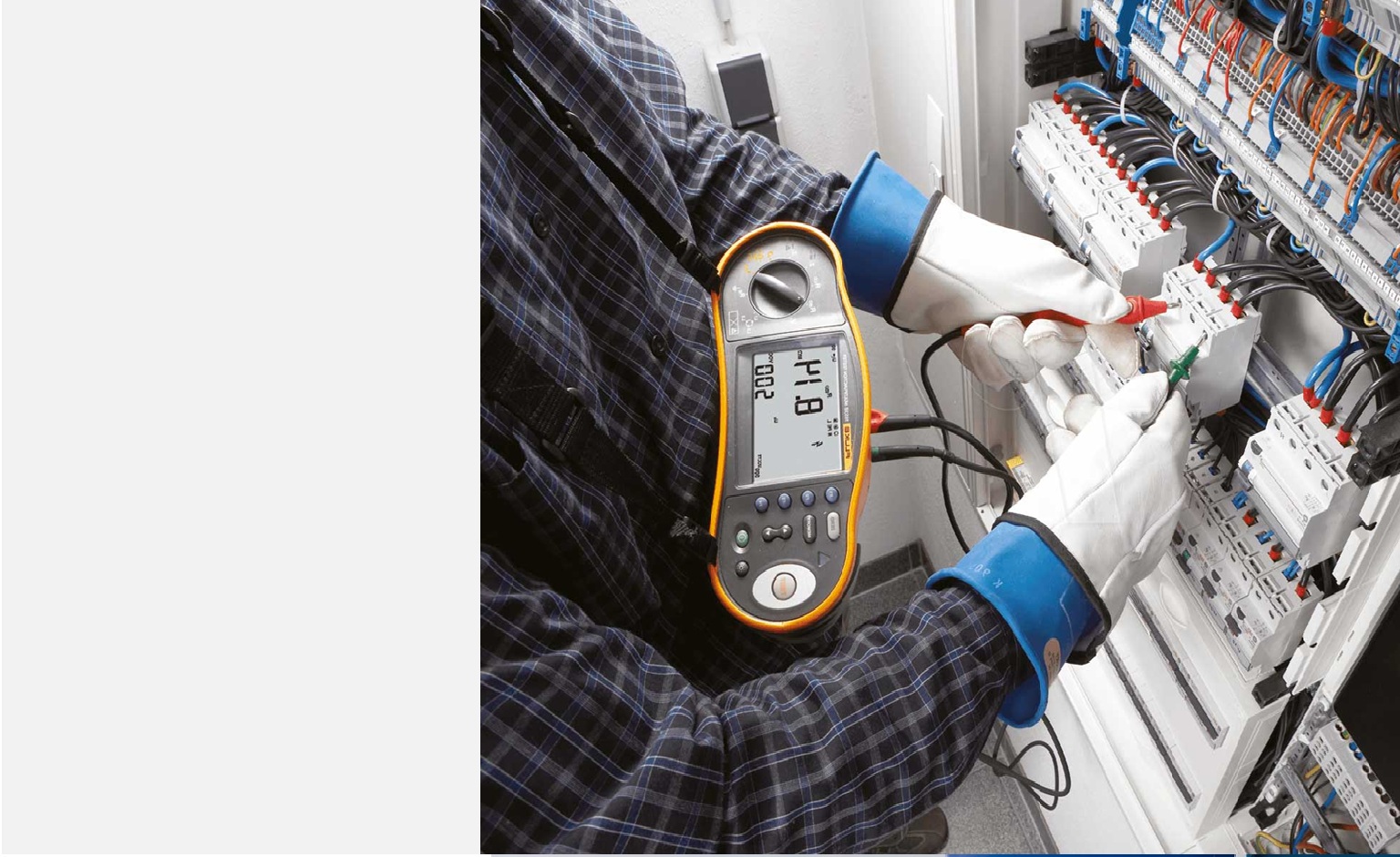
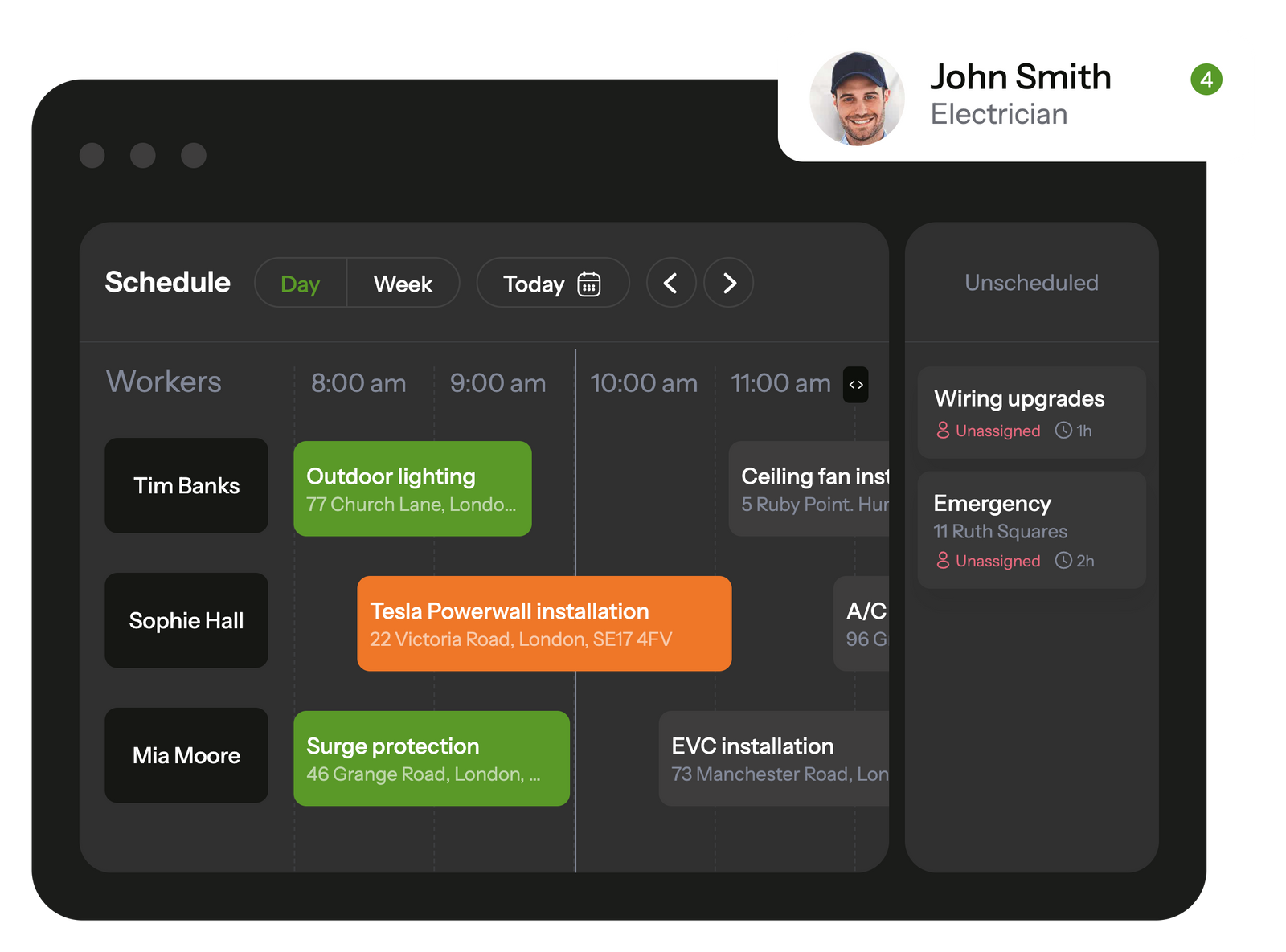
Planado simplifies task management and allows to control schedule in a few clicks
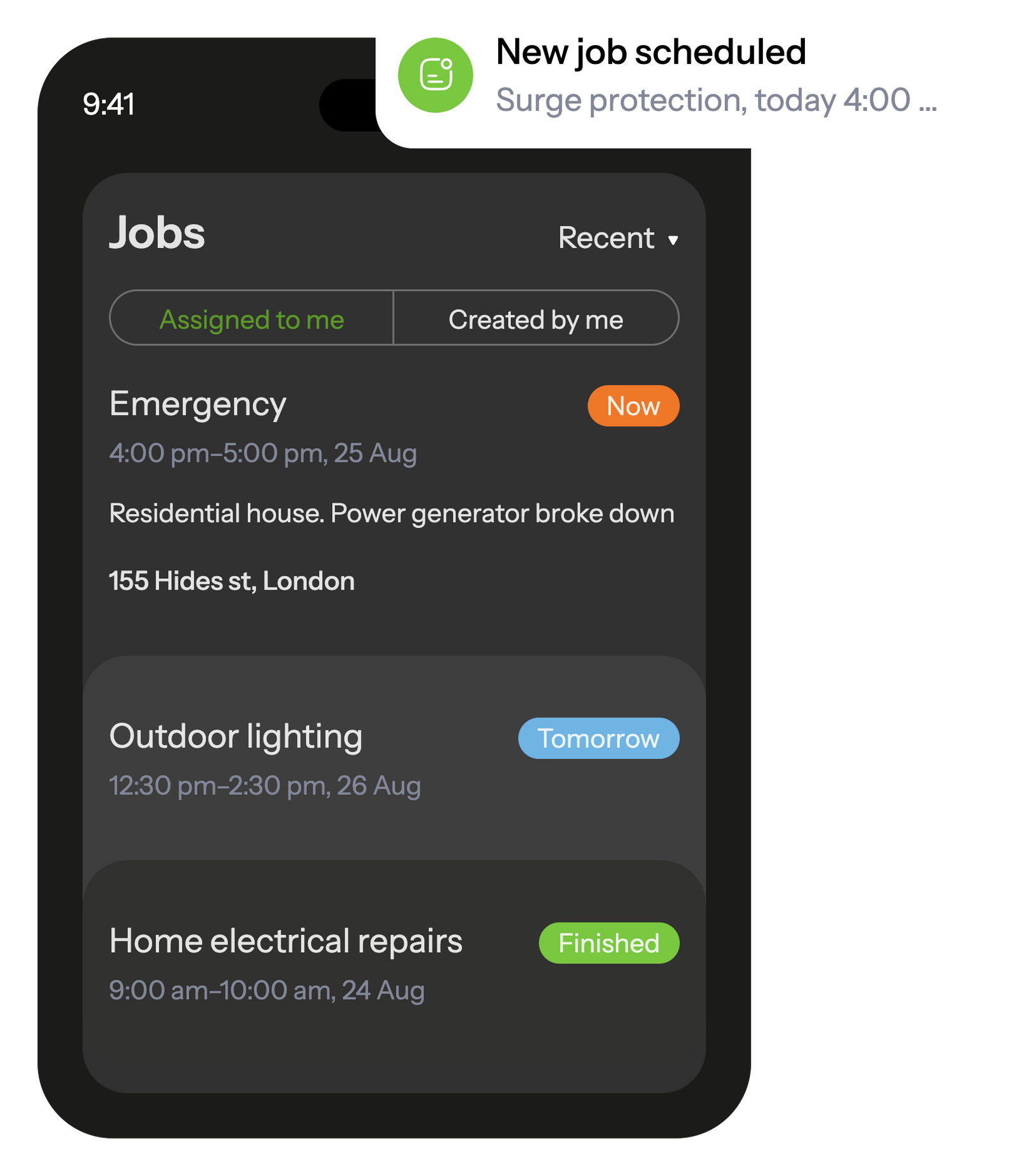
The mobile app keeps electricians informed about scheduled tasks and updates them with new assignments via notifications.
The built-in job checklists ensure that electricians won't overlook any tasks on their to-do list.
After finishing a task, electricians can submit customized reports complete with photos and other data, which are instantly saved and shared with the office.
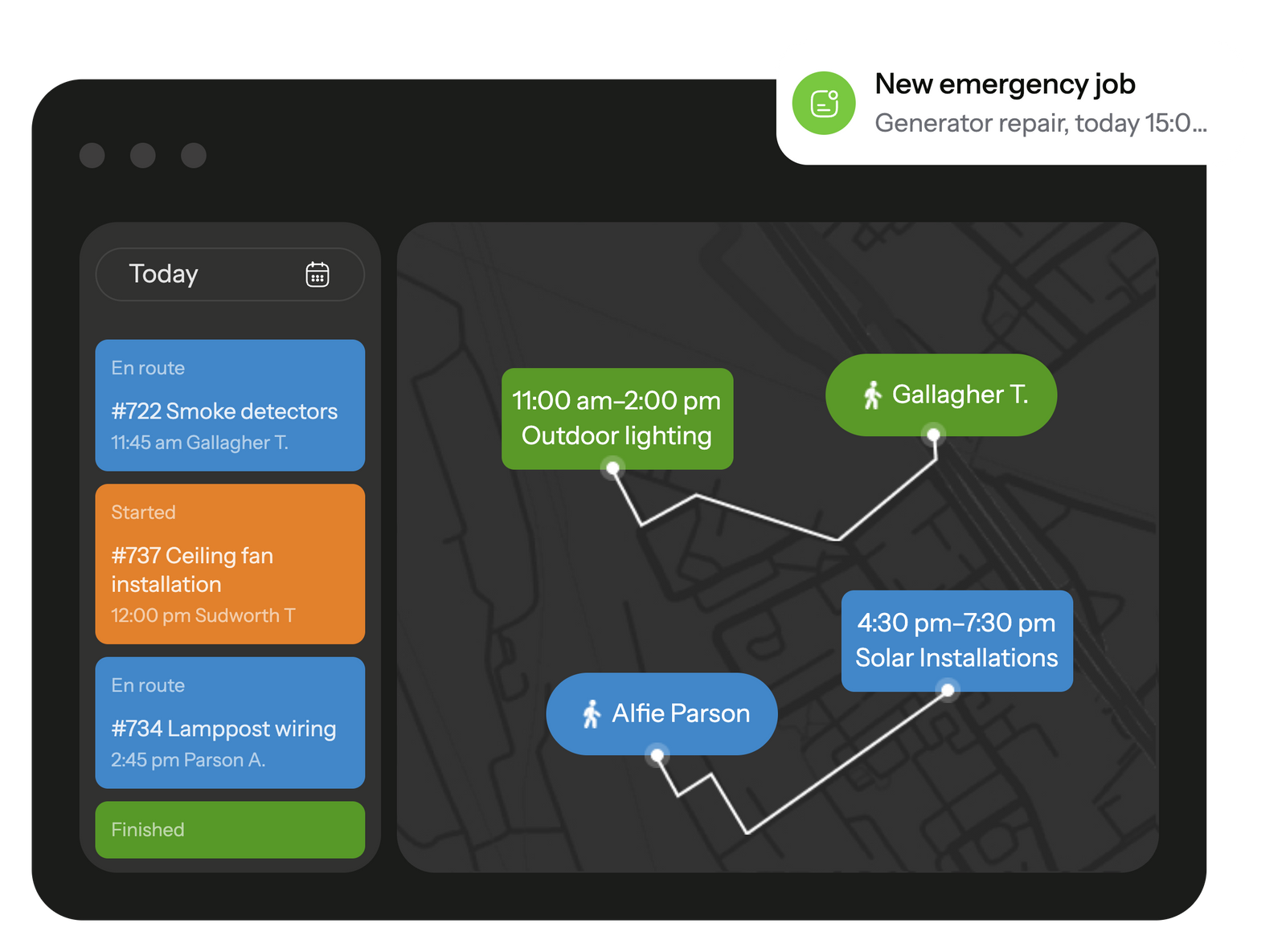
Monitor your electricians' locations during work hours, assign tasks dynamically based on their proximity, and access logs of tasks and movements at any time.
GPS location tracking helps calculate mileage and assign the closest worker to an urgent job.
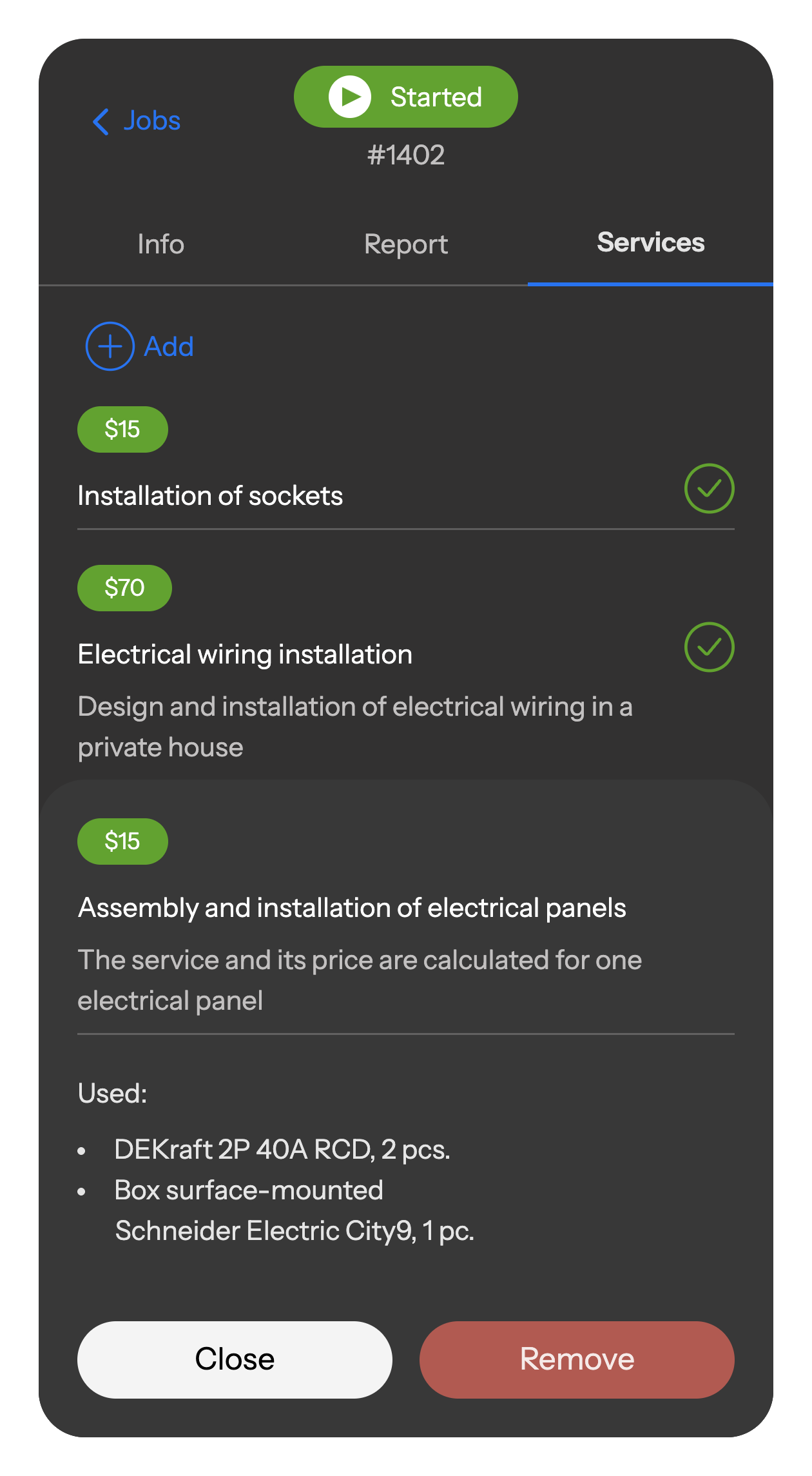
Electricians log all used materials, sold products, and services directly in the mobile catalog. Data is auto-calculated, synced to the office, and saved in reports — giving you full transparency and accurate accounting.
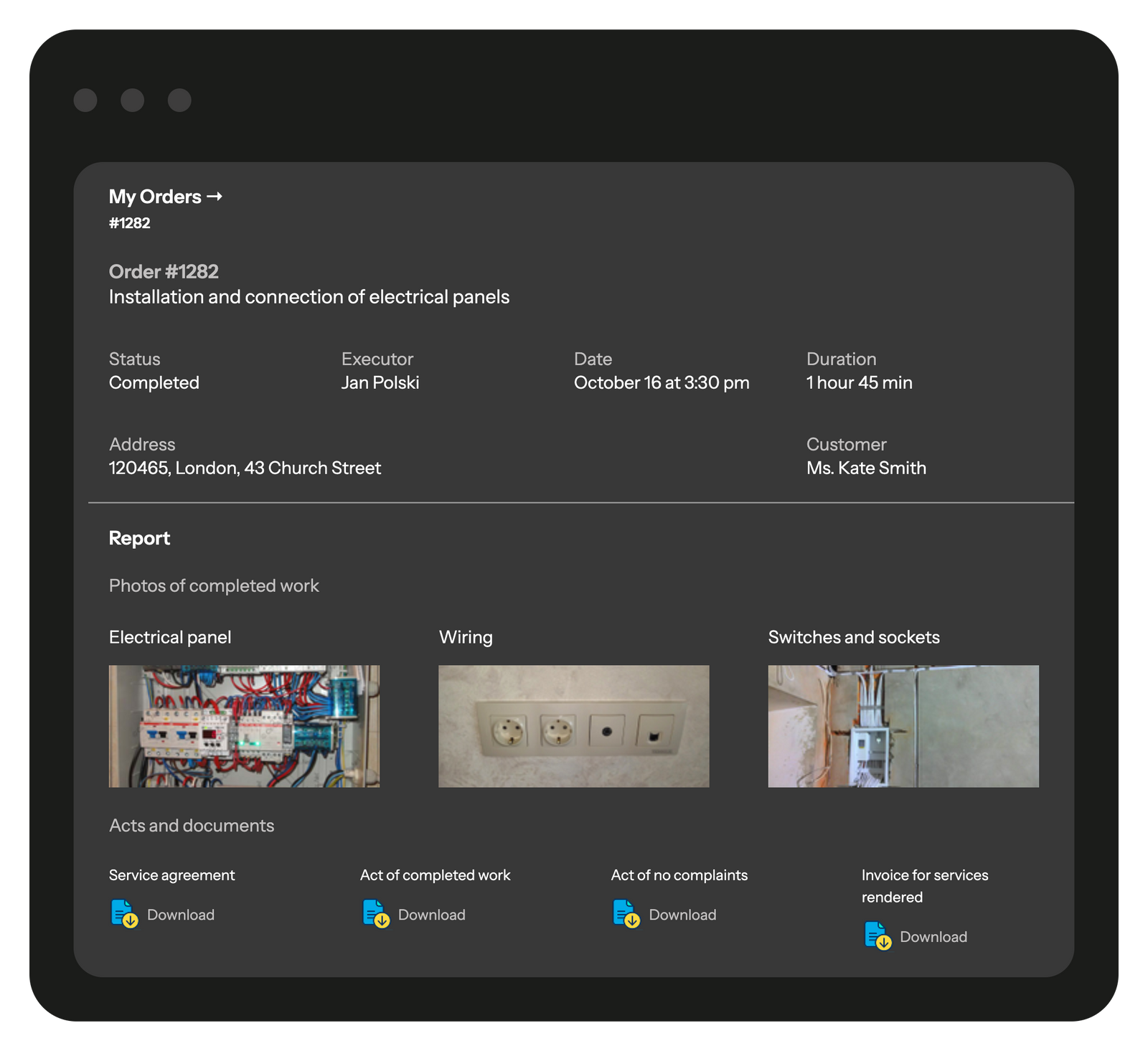
Give your clients access to a branded portal with detailed information on their requests, job progress, and photo reports. Through the portal, clients can track the status of their orders, review completed and scheduled work, and leave feedback about the service.
You decide which jobs and details are visible, ensuring full transparency for clients while keeping full control in your hands.

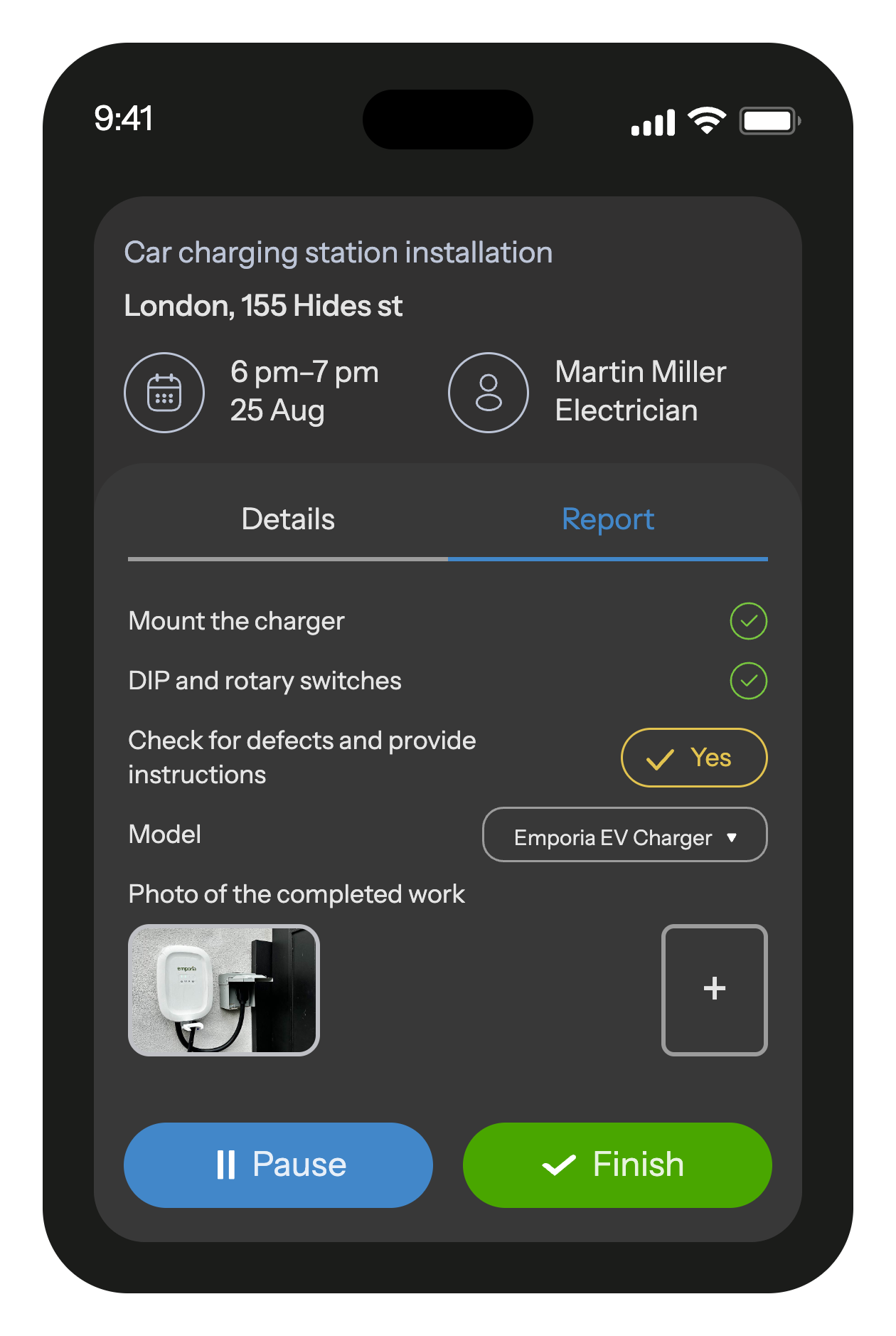
Electricians receive a checklist at the start of each job to prevent any oversight.
Following job completion, they submit a detailed report that includes photos and text, ensuring all relevant data is recorded and stored, which proves invaluable for warranty claims or follow-ups.
Leading electrical and installation companies around the world use Planado to manage their teams and automate their business.










Planado adapts to the workflows of electricians and service teams of any size
Сonfigure steps and required fields for installation, diagnostics, emergency calls, equipment replacement, or scheduled maintenance.
Сapture all project details: job types, materials used, network specifics, and extra services (breaker replacement, socket installation, cable laying, etc.).
Send SMS updates about request status, technician arrival time, and job completion.
Connect Planado with your CRM, ERP, accounting, or other systems for automatic exchange of jobs, photo reports, and documents.


 Tasks management SchedulingEmployee GPS tracking Employee's mobile appChecklists & reportsTeams & work shiftsCustomer notifications Create jobs in mobile appCRM integrationMileage trackingDocuments signing Recurring jobsProduct catalog and pick listAPI & Webhooks
Planado automates request intake and task assignment, helps control job execution, stores photo reports and work orders, and streamlines communication between the office, technicians, and clients. This reduces errors, improves transparency, and ensures higher service quality.
No. Planado is a cloud-based service. All you need is a smartphone or computer with internet access. The mobile app is available for both iOS and Android.
Yes. You can track electricians in real time: see where each technician is, what tasks they’re working on, and the current stage of the job. GPS location, time stamps, and photo reports give you full visibility over every project.
Planado provides detailed checklists and reminders that guide technicians through each step of the task. This ensures consistent quality and prevents overlooked work.
Implementation usually takes just 1 business day. Our team assists with setup, onboarding, and training so that your company can start using Planado almost immediately.
Yes. Planado integrates with leading platforms such as Salesforce, Zoho CRM, HubSpot, QuickBooks, Xero, and many others. An open API is also available to connect with custom or legacy systems.
Yes. All company and client data is encrypted and stored on secure cloud servers, with access managed through roles and permissions. Planado complies with modern data protection standards.
Most electrical business software lets you break work into stages, assign different technicians, and track progress without losing earlier notes. It keeps long projects from turning into a pile of texts and paper checklists. This structure can help you complete larger jobs with fewer delays.
Electrical contractor software helps the office see who’s available, which jobs are in progress, and where each technician is headed next. It removes the guesswork that usually slows dispatchers down. If your team often reshuffles the day on the fly, this tool gives you a clearer way to plan.
Technicians complete forms, checklists, and photos directly in the field, and the office receives them instantly. There’s no chasing missing details at the end of the day. If documentation is a frequent bottleneck, job management software can tidy that workflow up.
Small teams use it to cut back on admin time, while larger companies rely on it to keep dozens of jobs and technicians organized. The core benefit stays the same: fewer mistakes and faster decision-making. It scales with you as the workload grows.
Once a team starts taking on more jobs, simple spreadsheets and messages stop keeping up. Job management software for electricians helps by giving the whole crew a clearer structure – who’s doing what, what’s already finished, and what still needs attention. Many companies notice this shift right away: smoother handoffs, fewer missed details, and a system that can support growth instead of holding it back.
Electrical teams deal with long workdays that rarely unfold the way they were planned. One job turns into a multi-hour project, another needs a quick follow-up, and the office tries to keep track of it all without losing details along the way. That’s where electrician service software starts to feel less like a “nice extra” and more like a stabilizing tool. It gives both technicians and office staff a clearer workflow so jobs don’t fall through the cracks when the day gets busy.
As companies grow, the mix of repairs, inspections, quotes, and recurring maintenance becomes harder to manage. Tools like electrician software help teams stay organized by keeping schedules, job notes, photos, and updates in one place instead of scattered across chats and papers. It also helps reduce small mistakes – the ones that usually slow technicians down or force a return visit.
Many electrical teams eventually adopt electrical business software because it makes planning feel more predictable. When job information is accurate and accessible, technicians spend less time clarifying instructions and more time doing the work. And for office teams, it becomes easier to coordinate assignments, review progress, and keep customers informed without constant follow-ups.
Anyone who has worked in electrical services knows how quickly a normal day goes sideways. A job that looked simple on paper turns into something entirely different, or a client mentions an important detail only after the technician has already arrived. Electrician service software helps teams deal with these moments by keeping job notes, past fixes, and photos in one place – not buried in messages or forgotten in someone’s notebook. Technicians get a clearer brief before they walk in the door, and the office isn’t left guessing about what’s happening on site.
Most electrical teams juggle more information than they’d like – job notes, photos, sketches, phone calls from clients, and whatever the technician remembers to mention at the end of the day. Electrician software pulls these pieces together so the workday feels less scattered. Technicians can open a job card and see the essentials: what was fixed last time, which parts might be needed, and any warnings about the site. The office, in turn, gets updates without chasing people for status or proof of work. Instead of relying on memory or handwritten notes, everything flows through one place, which makes small tasks easier to handle and bigger projects less chaotic. Crews move from job to job with clearer instructions, and managers gain a more realistic picture of how the day is unfolding – not just what should be happening. This mix of structure and real-time updates is what keeps daily operations steady, even when surprises pop up.
Electrical work rarely follows a calm, predictable rhythm. One call turns into three, a planned visit suddenly needs extra parts, or a client insists the issue is “quick” when it’s anything but. Electrical contractor software helps teams stay steady when the day shifts like this. Instead of passing updates through text messages or memory, contractors can see what’s happening across all jobs – which tasks are running late, which clients need follow-up, and where the next bottleneck might form.
Many errors in electrical work don’t come from skill – they come from missing pieces of information. A technician arrives without knowing the panel was replaced last year, or the office can’t tell whether a breaker check actually happened because the notes never made it back. Electrical contracting software helps close those gaps by keeping repair history, photos, and job updates in one place where the whole team can actually find them.
Planado adds to this by giving both field crews and the office a shared, up-to-date picture of the job. Everyone sees what’s been done, what still needs attention, and whether a return visit is necessary. When the back-and-forth drops and the guesswork disappears, teams spend less time correcting preventable mistakes and more time finishing jobs cleanly on the first try.
Electrical work rarely fits into neat one-hour blocks. A routine inspection can uncover hidden issues, and multi-day installations often depend on earlier steps being finished exactly as planned. Job management software for electricians helps keep these moving parts aligned. Instead of juggling paper notes or chasing updates across chats, teams see a clearer breakdown of what needs to happen, who is responsible, and which tasks rely on earlier work being completed.
Long electrical jobs usually break down not because the work is complex, but because the thread of the project gets lost along the way. One technician notes a voltage reading on paper, another forgets to mention a part they used, and by day three no one is fully sure which steps are already closed. Electrical job management software helps keep that chain intact. Each stage sits in one place – notes, photos, measurements – so whoever arrives next can pick up without replaying the whole job from scratch.
Planado fits naturally into this workflow. Technicians see what was done earlier, add their own updates, and leave a clearer picture for the next crew. Managers get a better sense of how the project is moving, which reduces the “end-of-week surprises” that often slow multi-day electrical work.
Electrical teams lose more time to scheduling friction than they realize – late updates, unclear priorities, or a technician driving across town for a job someone nearby could have handled. Electrician scheduling software helps straighten out that daily flow. It shows who’s free, who’s already tied up, and which jobs must be handled first, so dispatchers can make decisions without second-guessing or scrambling through messages. When the day picks up speed, the schedule stays readable instead of collapsing into guesswork.
On busy days, assignments shift more than once. Electrical dispatch software keeps those adjustments manageable by giving dispatchers a clear overview of where each technician is and what they’re working on. A sudden outage, a last-minute request, or a revisitation can be handled with fewer delays because the system highlights the closest available person with the right skills. Technicians get the update immediately in the app and can move without waiting for another phone call.
Planado follows this same idea – real-time updates that help both sides avoid the usual back-and-forth and keep the schedule stable even when the workload jumps unexpectedly.
Electrical teams rarely struggle because technicians lack skill – the real losses come from scattered information, unclear priorities, and travel time that slowly eats into the day. Electrical business software helps tighten these gaps. It gives teams a clearer picture of what needs to be done, where people are, and how long each job is likely to take. When your day isn’t swallowed by rescheduling or searching for missing details, technicians finish more work and office staff spend less time fixing avoidable issues.
Routing problems add up quickly: a technician crossing the city for a five-minute task, someone waiting at a site without the right job notes, or two people arriving at the same address by mistake. Electrical software reduces these patterns by matching jobs to the right person at the right moment. With real-time updates, technicians stay on routes that make sense, and dispatchers spot gaps before they turn into idle time. A few minutes saved at each stop turns into hours regained over the week.
If your team often loses time to backtracking, rushed corrections, or unclear routes, it may be worth reassessing how your workflow is organized today. Mid-day gaps and repeated detours are usually early signs that a single platform – such as Planado – could help you cut waste and get more done without hiring additional staff.
Most electrical jobs leave behind a mix of notes and quick observations – a photo to show a breaker panel, a line about a part that needs replacing, a reminder for the next visit. When this information ends up in different chats or gets passed on verbally, it becomes too easy to lose track of what was actually done on-site. Electrical service software puts these details in one place so the field team can record the essentials quickly and the office can review them without guessing. Clear records make it easier to understand the job and reduce the back-and-forth that usually follows unclear documentation. Staying organized doesn’t have to slow technicians down. With structured templates and quick photo capture, the software helps crews follow the same standards regardless of who is assigned to the task. Managers get a clearer view of recurring issues, and small mistakes are easier to catch before they grow into callbacks. Planado supports this workflow by keeping job notes, photos, and checklists tied directly to each assignment, making it easier for both field and office teams to stay aligned.
Clear communication matters just as much as good technical work. Many delays, repeat calls, and billing disputes start simply because the client didn’t know what was happening or why. Electrical business software helps avoid those moments by giving both sides a shared record – what was done, what needs to be done next, and when the team will return. Instead of digging through old emails or phone notes, your office can answer questions in seconds, and customers feel they’re kept in the loop rather than chasing updates. When this becomes a routine part of your service flow, trust grows naturally and misunderstandings drop off.
A practical electrician CRM works like a memory bank for the whole team. When a technician opens a job, they can quickly see what happened last time – which breaker kept tripping, which parts were replaced, or what the client asked to check “if there’s time.” This saves everyone from starting the visit blind and reduces the amount of back-and-forth your office normally has to handle. Simple reminders and short status updates keep customers aware of when the crew is on the way or if the appointment shifted slightly. Planado uses this same idea: fewer surprises for the client and fewer repeated questions for your staff.
Modern electrical software doesn’t work in isolation – it connects the tools your team already depends on. When schedules, job notes, parts lists, and customer details can pass between systems without manual copying, the day moves with fewer pauses. Most companies feel the difference first in the office: fewer repeated entries, fewer mismatched updates, and fewer moments when someone must dig through old emails to find missing info. Field teams notice it too, because the job card they see on their phone reflects the same data the dispatcher entered a minute earlier.
Different platforms offer different options, but the useful ones tend to look similar: syncing client records with a CRM, pushing completed reports to accounting software, exporting job data for invoicing, or automating reminders when certain steps are overdue. Planado supports these kinds of connections through its API and built-in integrations, so offices don’t have to string together a patchwork of manual updates. The result is simple: fewer interruptions and a workflow that doesn’t break every time the team switches from one system to another.
If your electrical team is juggling calls, shifting schedules, and long days spent checking what was done on each job, switching to one system can make the whole operation steadier. Planado brings scheduling, reporting, dispatching, and customer history into a single place, so you’re not rebuilding the workflow every time the day gets busy. Technicians get clearer instructions, the office sees real progress instead of scattered updates, and clients receive work that feels more organized from start to finish.
Planado also adapts to how your company already works. Templates for electrical jobs, multi-step workflows, photo reports, permissions for supervisors, and quick assignment tools help you shape the system around your existing processes rather than starting from scratch. Whether you run small maintenance crews or manage multiple teams across several neighborhoods, the platform gives you enough structure to scale without adding unnecessary admin work.
If you want to see how this looks in practice, start a free trial and test it with real jobs. Our team will help you set up workflows, reports, and notifications so you can evaluate the system in a normal workweek. It’s an easy way to understand where your current process slows you down – and how Planado can make scheduling, reporting, and coordination run without constant firefighting.