

Field Service Solutions for Every Industry




Planado field service management system is tailored for:
What your business can do with Planado
Create tasks and schedule
Streamline communication with your field workers — assign tasks and monitor their completion online without the need for messengers, spreadsheets, or other tools. Every employee can view their assigned tasks and schedules directly through the mobile app.

Mobile app for field workers
Using Planado’s mobile interface, field workers can view all their scheduled tasks and receive notifications about new assignments.
The built-in job checklists ensure that workers won't overlook any tasks on their to-do list.
Upon completing a job, workers can fill out a customizable job report, including photos and various fields. Additionally, clients have the ability to sign documents directly on the smartphone screen

Control the workflow
Enhance performance quality control through customizable checklists and job reports. Workers can easily complete these directly in the mobile app, including text entries, photos, mandatory forms, and various field types. Impressively, all these tasks can be accomplished even without an Internet connection!

Always know where your employees are
Track your workers' trip during working hours, schedule jobs to your workers based on their location right on the map.
GPS location tracking helps calculate mileage and assign the closest worker to an urgent job.

Advanced Workforce Management Software for Enterprises
Seamlessly integrate Planado with your existing IT infrastructure to unlock enhanced capabilities for managing large-scale enterprises
View Job History
Monitor your workers' performance by viewing the logs of each completed job.
You can access a detailed job report, which includes all changes made: locations and timings of job order reception, start, and completion by the worker.

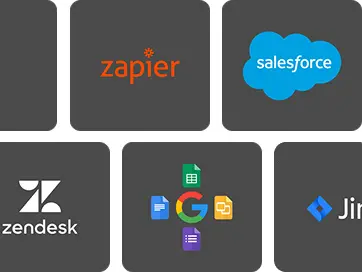
Easily integrate with third-party software
Gain access to over 3000 ready-made integrations and seamlessly connect Planado with CRM systems, HelpDesk tools, and a variety of other cloud services, all without the need for programming.
You can integrate Planado with any software using our REST API and webhooks. Do it on your own, or reach out for assistance from the Planado Team!

Language support
Is your language missing? It is possible to add any language to Planado. Contact us for details
Frequently Asked Questions (FAQ)
How will Planado help my business?
Planado helps when daily work starts to feel chaotic. Schedules change during the day, updates come from different places, and it’s hard to see what’s actually done. With one shared system for tasks, statuses, and reports, teams stay aligned and problems surface earlier.
How to install Planado and what equipment do I need to buy?
There’s nothing to install on-site and no new hardware to purchase. Teams use their existing phones and computers to access the system. You can start working without stopping current jobs or changing how people work in the field.
How does Planado ensure data security?
We set up your personal copy of Planado at our data center. All data on the server are reliably backed up and encrypted. You manage your employees’ access to Planado. To sign in Planado each employee must enter his or her own login and password. You can restrict employee access at any moment.
How will it benefit my clients?
Clients receive clear updates on job status and transparent reports after each visit. Photos and documented results reduce questions about what was done. This builds trust and lowers the number of follow-up calls.
How does Planado adapt to different service industries?
Planado uses flexible workflows that can be adjusted to different types of field work. Tasks, checklists, and reports are customized based on how each industry operates. Teams keep their process while gaining structure.
What field tasks can be automated with Planado?
Common tasks like scheduling, status updates, notifications, and report generation are automated. Technicians focus on work instead of manual reporting. The office avoids repetitive data entry.
How does GPS tracking improve team performance?
GPS shows where teams are during the day and how routes actually run. Dispatchers assign the closest technician when plans change. This reduces travel time and improves response speed.
How do clients receive updates and reports?
Clients get notifications as work progresses and receive reports once jobs are completed. Reports can include photos and service details. Everything stays accessible without manual follow-ups.
Still not sure? Test Planado out for yourself!
Service businesses across different industries face the same daily problems. Schedules change during the day. Tasks get missed on site. Managers struggle to see what’s really happening in the field.
This is where field service software becomes critical. Planado is a field service management platform built to support real work across multiple industries, from recurring routes to urgent on-demand jobs. Instead of adapting your process to the tool, the field service management system adapts to how teams already work. That’s why many companies look for field service software that brings scheduling, reporting, and visibility into one place. With consistent workflows and shared data, field service management stops being reactive and becomes predictable.
Below are the most common industries – and what Planado changes in daily work.
What Industries Use Planado and How It Helps Them
Planado is used by service companies that deal with recurring routes, urgent on-demand calls, and clients with multiple locations. It works equally well for teams that visit the same sites every week and for crews that respond to issues as they appear during the day. That’s why it’s adopted across industries such as cleaning, HVAC, electrical services, handyman and repair teams, and landscaping businesses.
Despite different types of work, these companies face very similar challenges. Many start looking for field service industry software when everyday operations become hard to control:
- schedule changes during the day
- no clear proof of work or inconsistent service quality
- constant calls asking “where is the technician?”
- missed steps on site or safety compliance issues
- inefficient routes and wasted travel time
- scattered job history, photos, and documents The difference between tools shows up not in features, but in how daily scenarios are handled.
Cleaning and Janitorial Services
Cleaning teams work on tight schedules and repeat the same visits every day. Small gaps in control quickly turn into complaints.
- A daily or weekly route is scheduled once and reused across locations, even for large chains.
- After each visit, technicians complete a checklist and attach photo reports that show the result.
- GPS data confirms that the team was on site at the right time, not just nearby.
- For multi-location clients, every visit is stored in job history, with photos and timestamps easy to review. Managers don’t have to guess or chase updates. They see what was done at each site.
HVAC and Technical Maintenance
HVAC work involves multiple stages and little room for error. One missed step often leads to a return visit or an unhappy client.
- A diagnostic visit is logged first, then a follow-up repair is scheduled without losing context.
- During installations, technicians move through each stage using step-by-step checklists.
- If parts or materials are required, notes and photos stay attached to the job for the next visit.
- Live status tracking shows when work starts, pauses, or finishes, so appointments aren’t missed. This is how teams avoid missed steps and broken handoffs between visits. Fewer mistakes. Clearer handoffs.
Electrical Services
Electrical work leaves no room for shortcuts. One missed check can turn into a serious safety issue.
- Before starting a job, technicians confirm on-site conditions using a safety checklist.
- Nothing moves forward until required steps are completed.
- After the work is finished, photos are added immediately to confirm the result.
- Documents and client signatures stay attached to the job instead of getting lost in emails or folders.
- When an urgent request comes in, the dispatcher assigns the nearest available electrician without delay. This is how teams stay compliant and in control, even under pressure. Safer work. Cleaner documentation.
Handyman and Repair Services
Handyman work rarely follows a single pattern. One job can be a quick fix, the next – a longer repair with extra steps.
- Tasks open with clear instructions, so technicians don’t piece things together on the go.
- Before closing a job, a final check makes sure nothing was left half-done.
- Routes are planned to keep the day realistic, even when jobs vary in time and effort.
- If a return visit is needed, it’s scheduled from the same job record, with photos and notes already in place.
- When work jumps between tasks, details don’t disappear. Nothing gets lost between visits.
Landscaping and Lawn Care
Landscaping work changes with the season, but routes still have to run on time. Crews move between properties, often visiting the same locations every week.
- Weekly mowing routes are planned in advance and reused across the season.
- Spring cleanup and leaf removal are added as scheduled jobs without breaking the route.
- After storms, urgent cleanup tasks are assigned quickly to the nearest crew.
- GPS confirms that work was completed on the correct property and in the right section of the site.
- After each visit, technicians add photos to show the result, not just mark the job as finished.
- Proof of work for every stop.
Want to see how this works for your industry? Try Planado with real jobs and real schedules, or request a short demo to walk through your typical workflow. It’s an easy way to see how daily routes, on-site work, and reporting come together in one system.
How Planado Improves Field Operations Across All Industries
Across different services, the daily routine looks surprisingly similar. Someone plans the work, teams execute it on site, and the office needs clear updates. Planado acts as a field service management tool that keeps scheduling, reporting, and visibility consistent from job to job. This structure stays the same even when the type of work changes.
Job Scheduling and Workflow Planning
The day usually starts with a plan – and then it changes. New requests come in, jobs shift, priorities move up or down. All tasks live in one place, so updates don’t scatter across calls and messages. When something changes during the day, the schedule adjusts for everyone at once. Technicians follow the same plan the office sees, instead of double-checking details by phone. Less rescheduling by phone.
Mobile App and On-Site Reporting
Once work starts on site, updates need to happen without delays. Technicians don’t wait until the end of the day to report progress. They move jobs through clear statuses – En route, Start, Finish – and add photos, checklists, and required fields as they go. Even without a connection, data is saved and synced later. As a field service management platform, it keeps job records consistent from the field to the office.
Real-Time GPS Tracking and Route Optimization
Midday is when delays usually show up. A job takes longer, traffic builds up, or a new request appears. Live GPS shows where teams are right now and how routes unfold over time. Dispatchers can review route history and assign the nearest available technician when plans change. The office sees what’s really happening, not what was expected on paper. Better coordination, less travel waste.
Client Communication and Transparency
Customers don’t call because they want updates. They call because they don’t have them. Automatic notifications show when a technician is scheduled, on the way, or finished. After the visit, clear reports with photos explain what was done. Through the client portal, service history stays visible without follow-up emails or calls. Visibility builds trust and reduces unnecessary back-and-forth.
Integrations and API for Advanced Automation
Most teams already use several systems, and switching between them costs time. Manual data entry is usually where mistakes happen. With Zapier, routine actions sync automatically without extra steps. For custom workflows, the API and webhooks send and receive job data, statuses, and updates between systems. This keeps field service software connected to the rest of the stack, saving time and reducing errors. Ready to move from reading to real work?
Start a free trial or request a demo and see how your actual jobs run in Planado. The team will help set the system up around your workflows, so schedules stay under control, field work is visible in real time, and reports make quality easy to prove.