
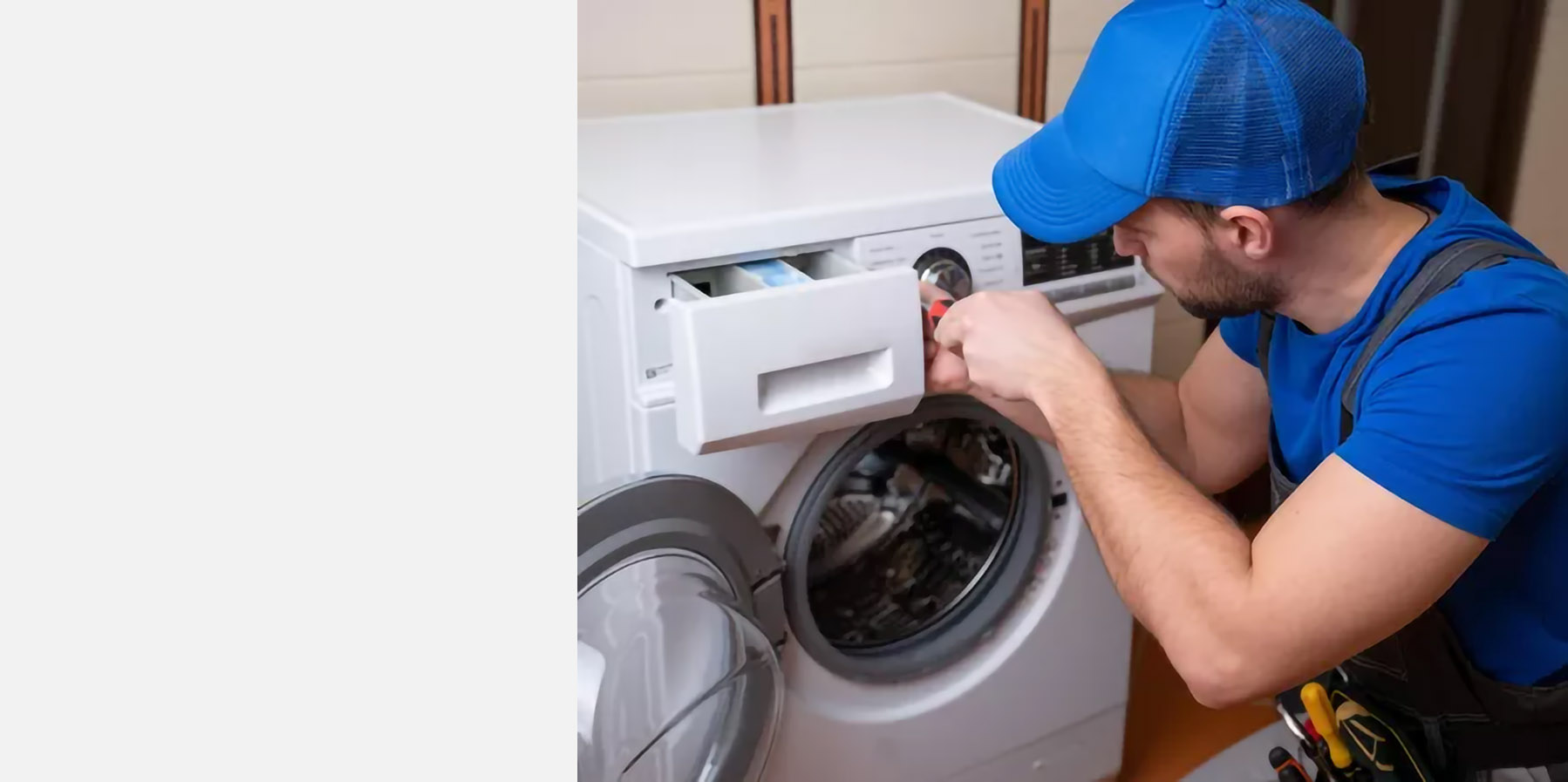
Planado simplifies task management and allows to control handyman service schedule in a few clicks
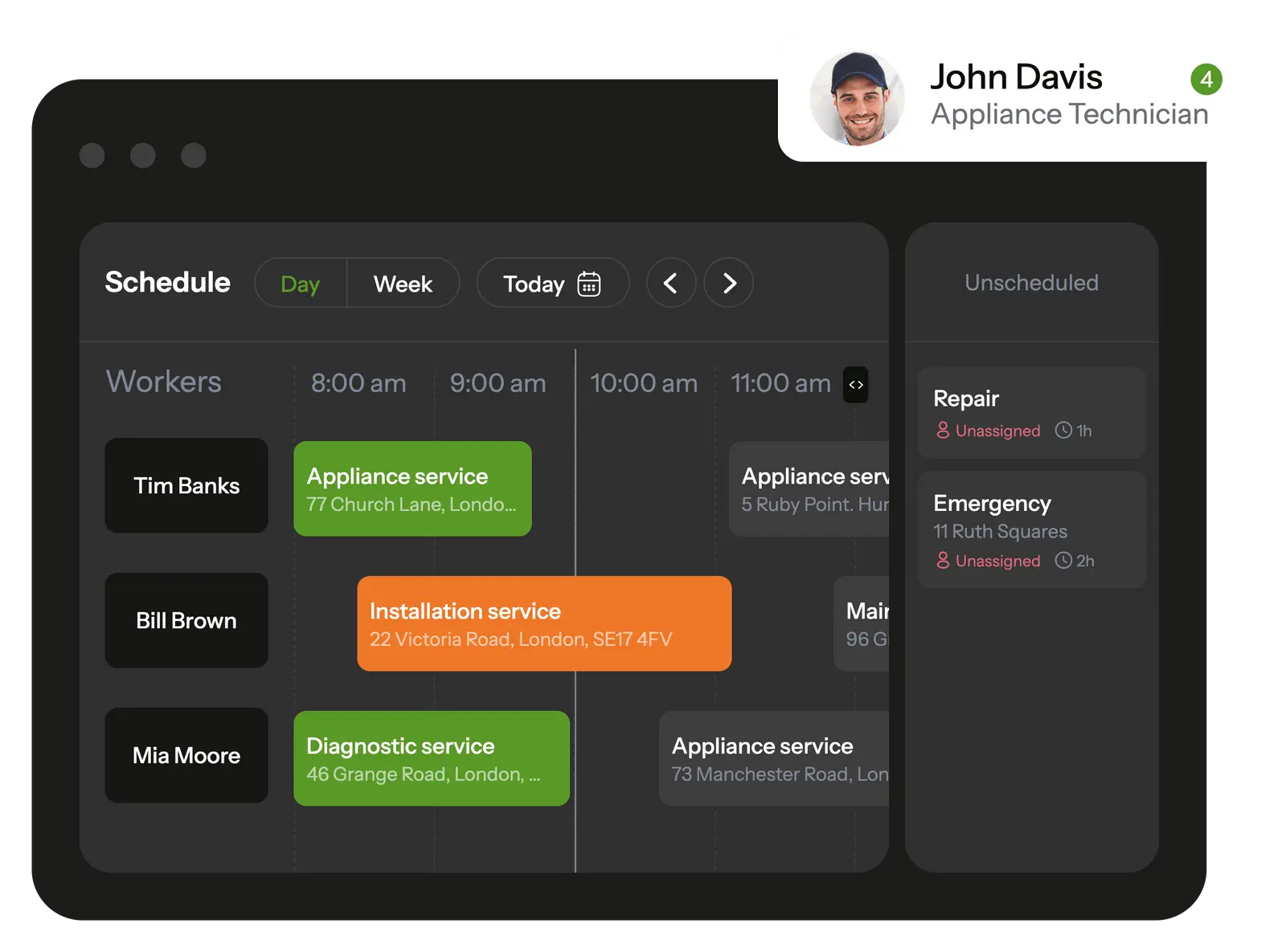
In the mobile app, your handyman see all scheduled tasks and receive notifications about new assignments.
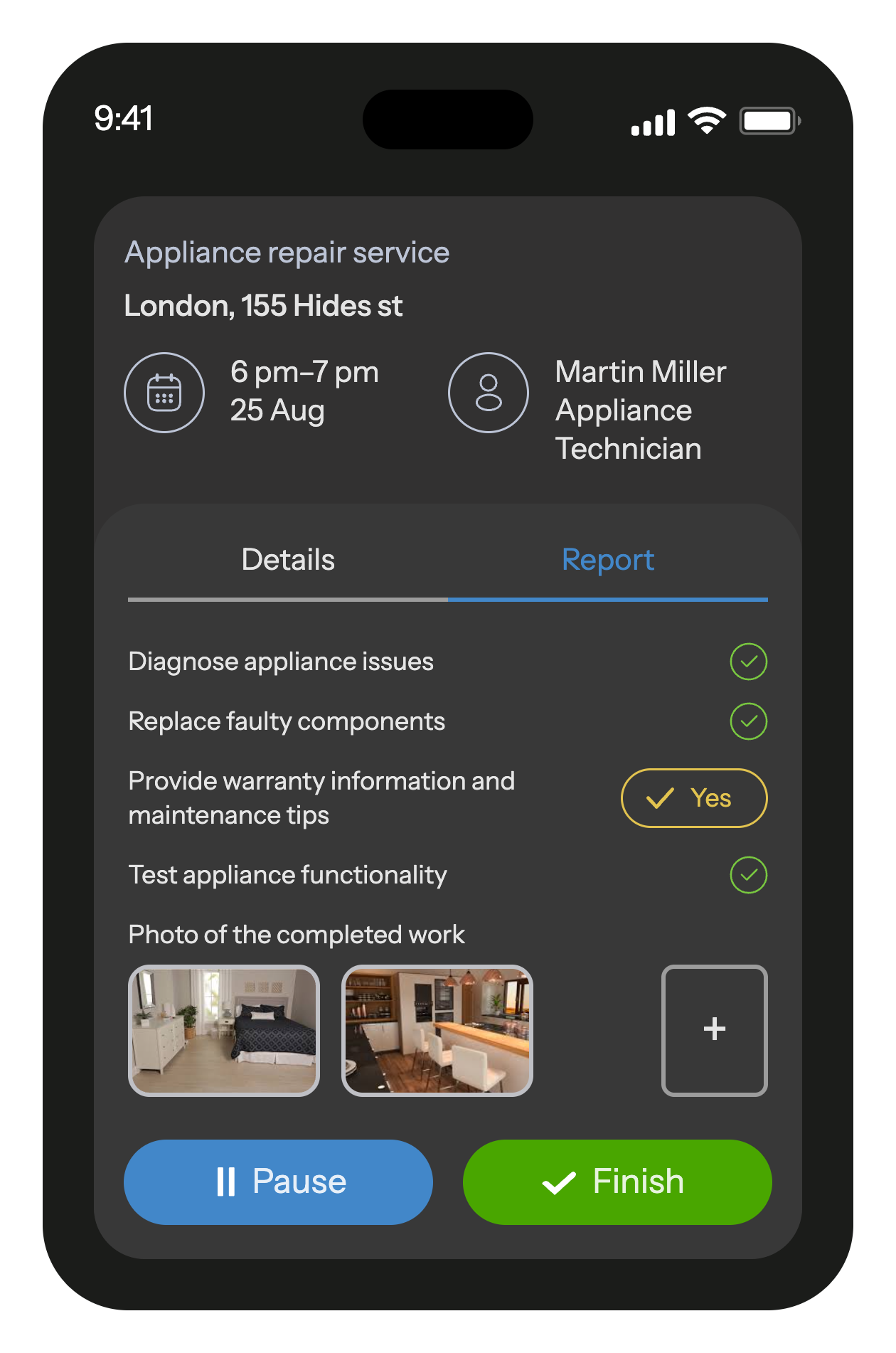
The built-in job checklists ensure that workers won't overlook any tasks on their to-do list.
When a task is completed, the employee fills out a customizable report with photos and other fields that is automatically saved in the database and transmitted to the office.
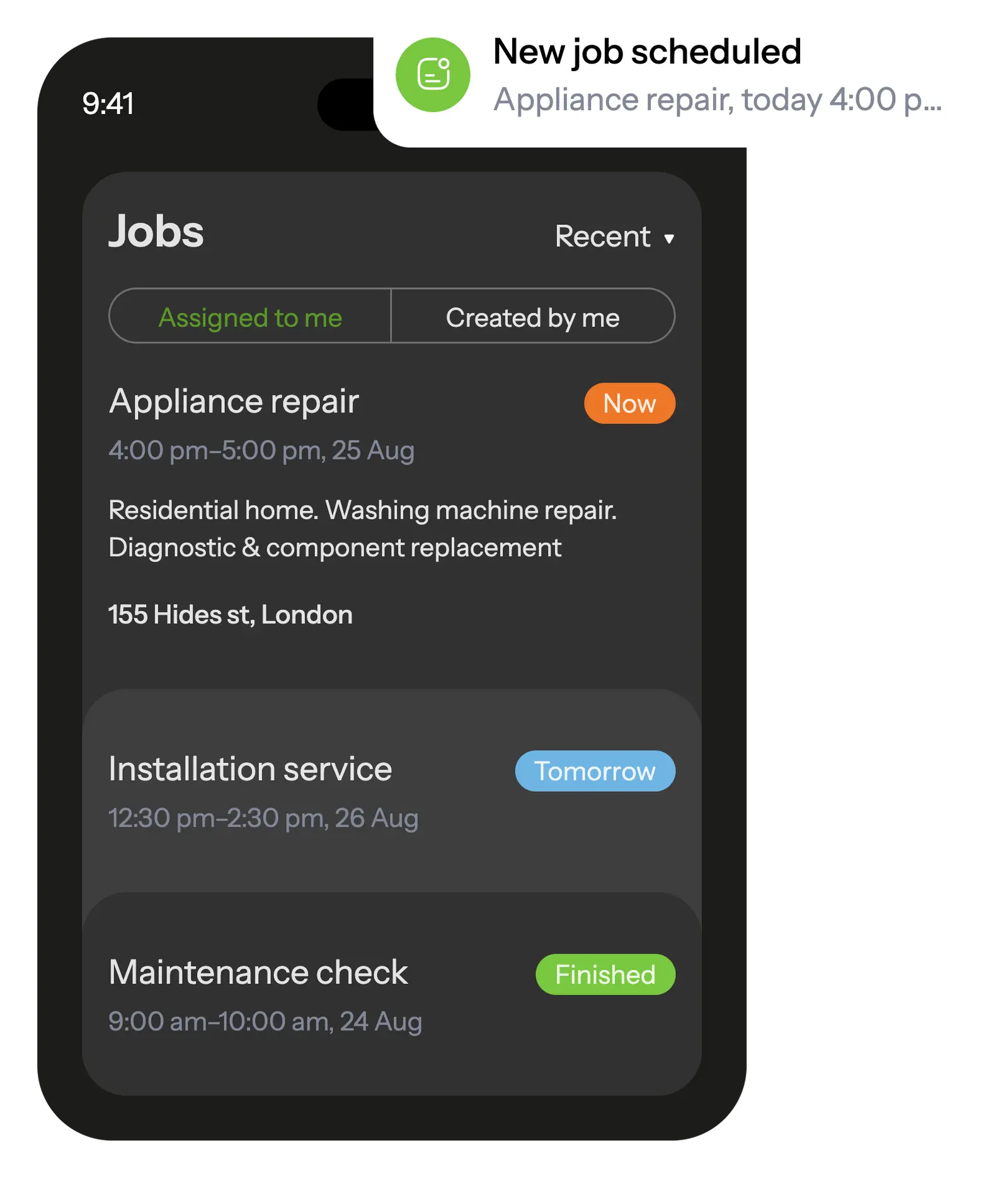
When worker starts the job, he will receive a checklist with the list of actions so he doesn't forget anything to do.
After completion, he will fill out a customizable report with photo, text and other various field types.
All reports with photos and other fields are saved in a database and can be useful, for example, in case of a warranty visit

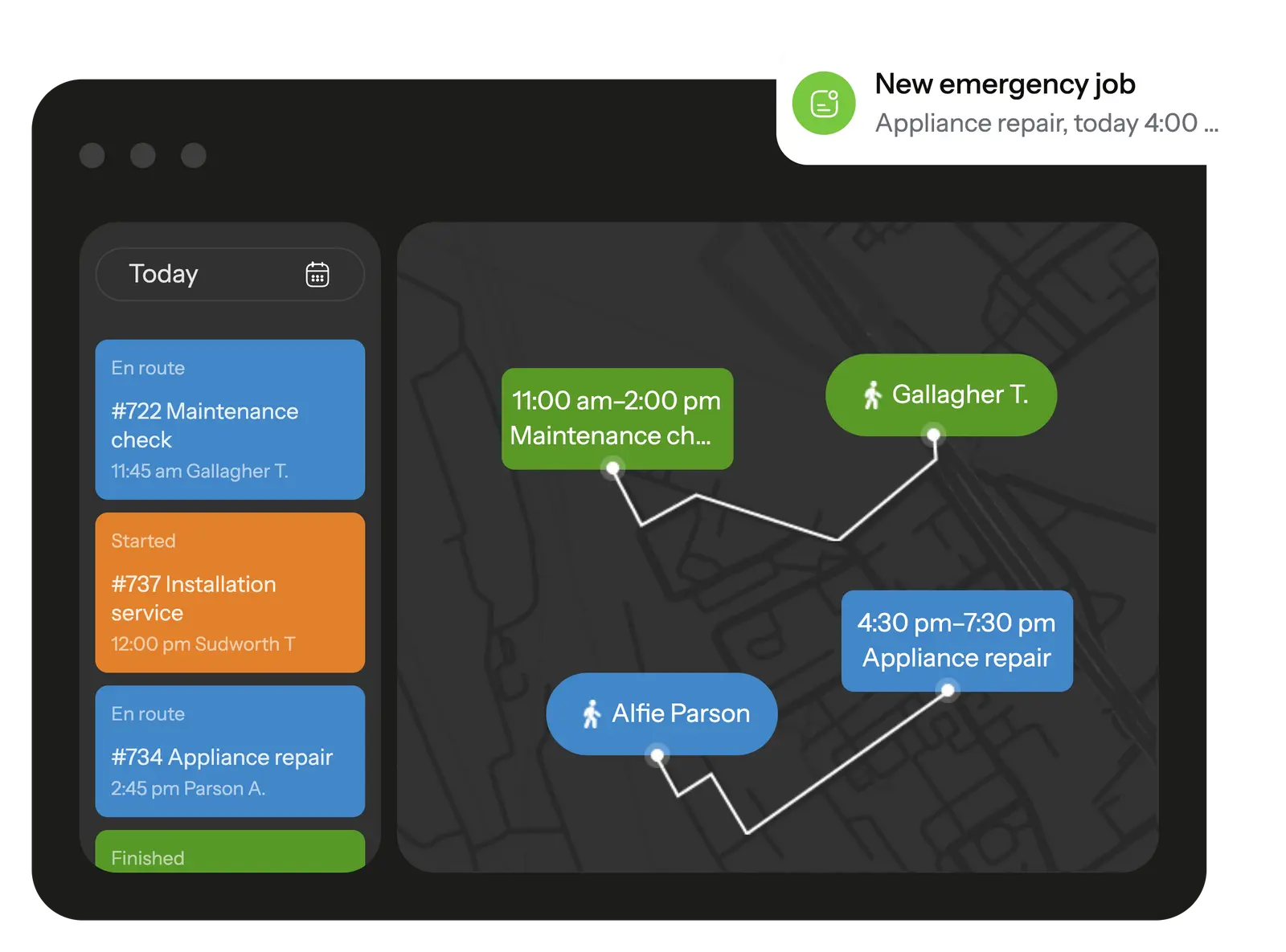
Track your employees' trip during working hours, schedule jobs to your workers based on their location right on the map. Task and movement history is recorded and available at any time
GPS location tracking helps calculate mileage and assign the closest worker to an urgent job.
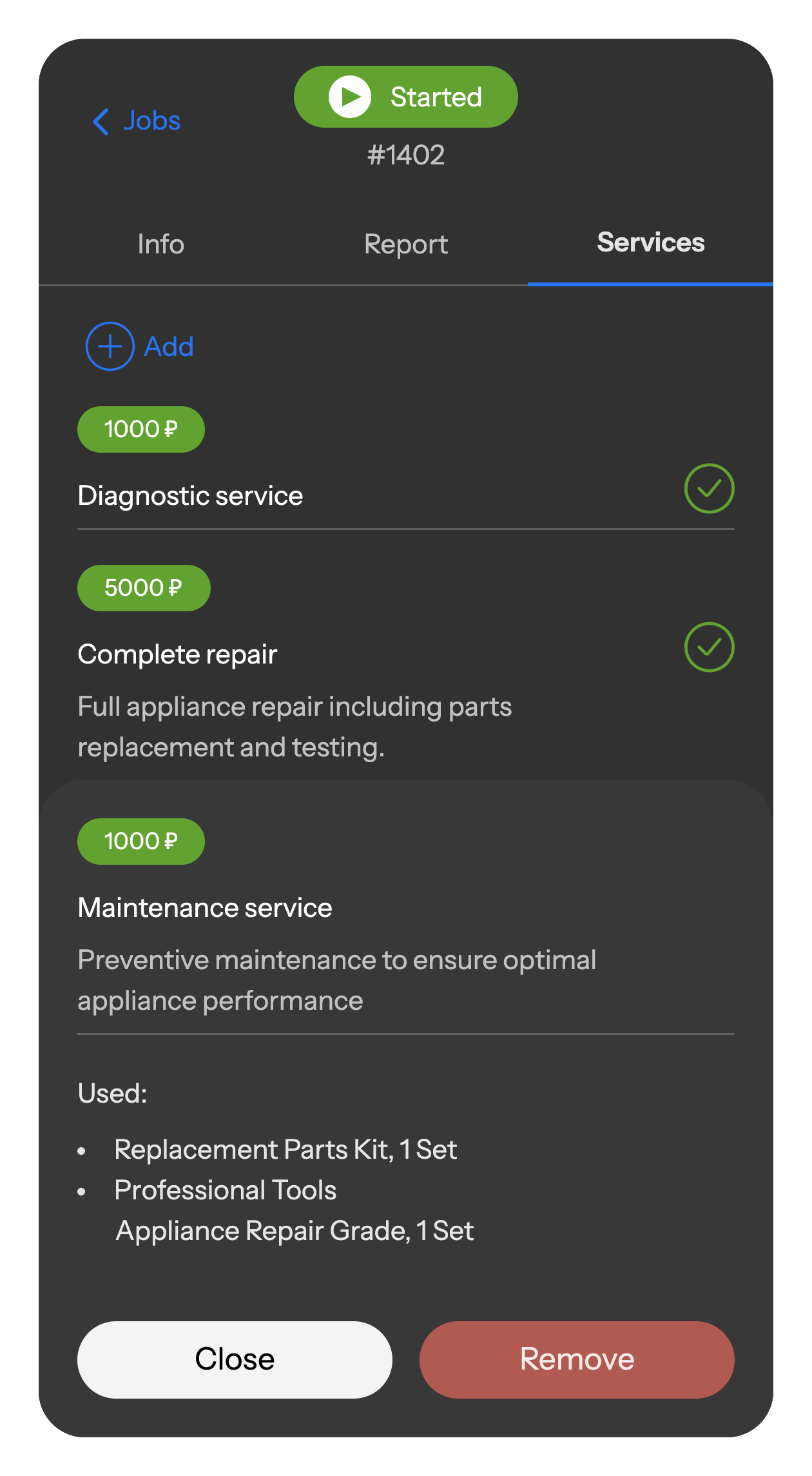
Workers log all used materials, sold products, and services directly in the mobile catalog.
Data is auto-calculated, synced to the office, and saved in reports — giving you full transparency and accurate accounting.
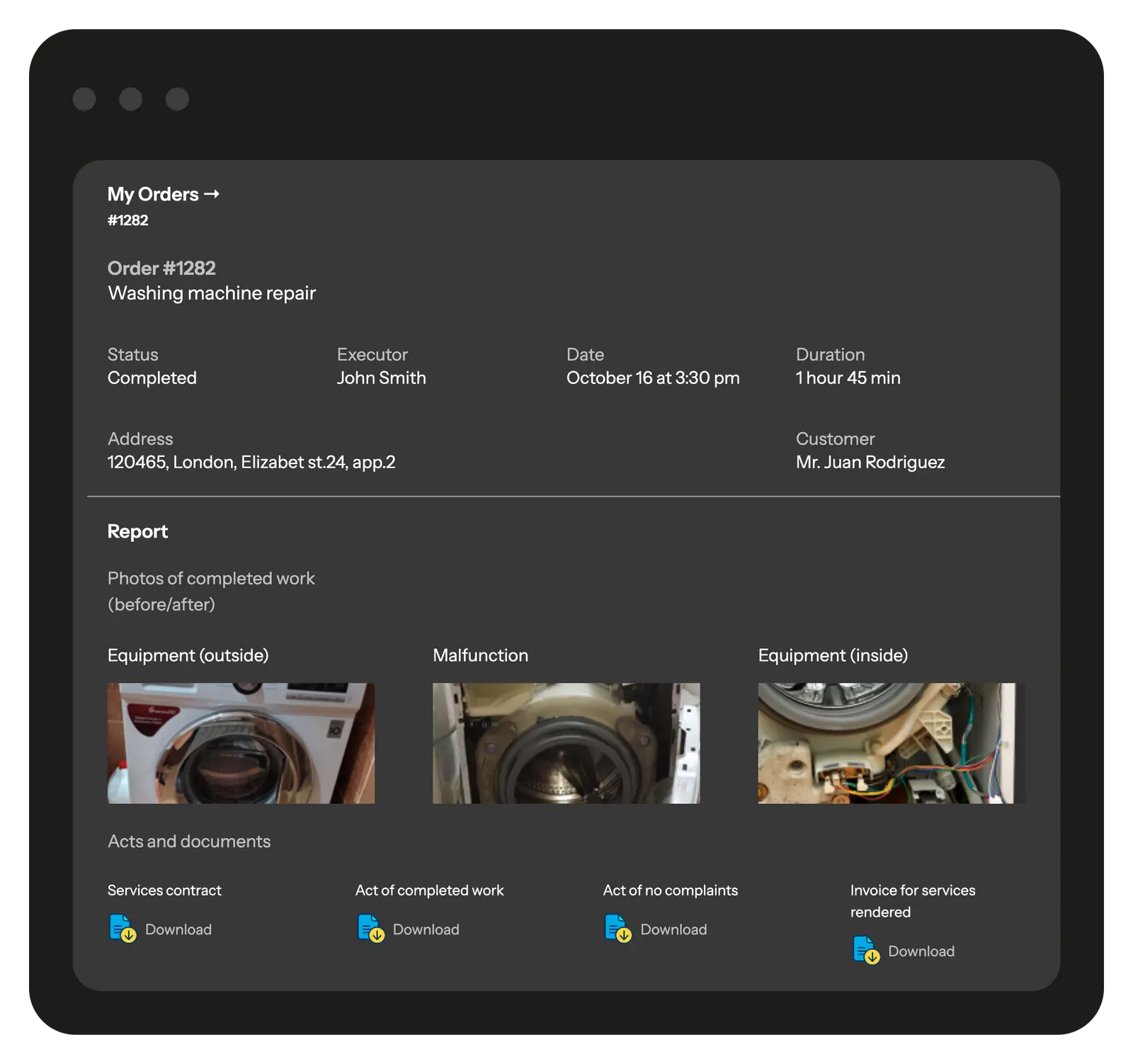
Give your clients access to a branded portal with detailed information on their requests, job progress, and photo reports.
Through the portal, clients can track the status of their orders, review completed and scheduled work, and leave feedback about the service.
You decide which jobs and details are visible, ensuring full transparency for clients while keeping full control in your hands.
Dozens of leading equipment and electronics repair companies around the world use Planado to optimize their business and increase profits.







Planado easily adapts to the workflows of service companies specializing in electronics and appliance repair:
Add any type of equipment and service, from smartphone and laptop repairs to large household appliances.
Create detailed instructions for different repair jobs so nothing is missed and quality standards are always met.
Generate service acts and photo documentation using your own templates. Everything is stored in the system and instantly accessible.
Connect Planado with your CRM, accounting, or other business tools for smooth data exchange.

Planado’s interface is intuitive and easy to adopt. Most technicians learn to use the mobile app confidently within 1–2 jobs. We also provide guides, training materials, and onboarding support during implementation to ensure a smooth start.
Yes. Planado includes a built-in module for tracking spare parts, consumables, and additional services. All items used are recorded in the job history and automatically added to reports and invoices, helping you keep inventory under control.
Planado supports customizable checklists, photo reports, and automatic generation of service acts. All documents are securely stored in job history, making it easy to monitor quality and resolve client claims.
Yes. You can configure different request types for private households, retail clients, and corporate contracts. Each request can be assigned to responsible staff, tracked through all stages, and reported to the client.
Yes. Planado integrates with leading platforms such as Salesforce, Zoho CRM, HubSpot, QuickBooks, Xero, and more. An open API is available for custom integrations with your existing IT systems.
Clients automatically receive SMS or push notifications at every stage: order received, technician en route, job started, job completed. You can also send branded reports with photos and signatures for added transparency.
Yes. The Planado mobile app (iOS/Android) provides technicians with:
The app works offline as well, syncing data when internet is available.
Yes – appliance repair service scheduling software in Planado handles both job types through separate templates. Home visit jobs carry client address and navigation; workshop jobs can be configured with different fields, checklists, and report requirements. Both job types appear on the same calendar and follow the same completion workflow.
Planado sends an automated SMS to the client when the technician marks themselves en route. After job close, the client receives a signed PDF completion report by email automatically. Both notifications are configurable – content and timing can be adjusted to match your communication preferences.
Appliance repair business management software in Planado supports unlimited job types with separate templates per job category. Warranty jobs can have their own checklist, report fields, and resolution codes – distinct from standard paid repairs – while appearing on the same dispatch calendar.
Appliance repair runs on tight windows, repeat clients, and technicians who need the right parts and job details before they arrive. When scheduling lives in a spreadsheet, dispatch happens over the phone, and job reports get written up at the end of the day from memory, things fall through. Appliance service business software organizes the full operation – scheduling, dispatch, field data collection, and service history – in one place.
The daily problems in appliance repair – scheduling conflicts, dispatcher back-and-forth, missing job data – come from running operations across disconnected tools. Appliance repair demand doesn't arrive on a predictable schedule. New requests come in while technicians are mid-job, clients reschedule last minute, and urgent calls need same-day slots. Appliance repair service scheduling software gives dispatchers a live view of the day – who is where, what's next, and where a new job can fit without creating a conflict. Planado's drag-and-drop calendar and map view show technician availability and location simultaneously. Overdue and prolonged jobs surface automatically in a dedicated dashboard section – no manual monitoring required.
Appliance repair dispatch software in Planado assigns jobs to the nearest qualified technician directly from the map view. The technician receives the assignment via push notification instantly – no call, no message thread to track. Appliance repair service business software matches jobs to technicians based on skill tags: a refrigeration specialist doesn't get dispatched to a washing machine fault because the system filters by qualification before surfacing candidates. When plans change mid-day, reassignment takes a drag on the calendar. The technician's app updates immediately.
Technicians complete job reports on the Planado mobile app before leaving the site – photos, checklist items, parts used, and client signature. Required fields block job close until all mandatory inputs are submitted, which means the data gap gets caught on-site. A completed job report in Planado contains:
Planado covers the features appliance repair operations rely on daily – scheduling, mobile access, and service records in one system.
Appliance repair scheduling software in Planado uses job templates per appliance type – each template pre-fills the job description, estimated duration, required technician skills, checklist, and report fields. Dispatchers select the template, adjust the details if needed, and the job is ready to assign. Appliance repair business scheduling software handles unlimited job types: installation, repair, warranty visit, diagnostic inspection, maintenance contract. Appliance repair scheduling app gives dispatchers both calendar and map view – filterable by technician, territory, and job type. Recurring jobs for maintenance contracts are configured once and generated automatically on schedule.
Appliance repair apps on iOS and Android give technicians their full schedule, job details, client contact, and navigation in one interface – no separate tools needed. Each job carries everything required on arrival: appliance type, reported fault, previous service history if relevant, and the checklist to complete. Offline mode keeps the app functional without connectivity – checklists, photos, and report fields all work and sync automatically when the device comes back online. Push notifications deliver new assignments and schedule changes the moment a dispatcher makes them.
During each job, technicians log parts and materials used from a predefined catalog in the app. Those entries attach to the job record and feed directly into billing – appliance repair business invoicing software that captures what was used at the point of use, not reconstructed from memory afterward. Appliance repair service management software in Planado keeps a full job history per client and per site. When a repeat visit comes in, the dispatcher sees all previous jobs, reported faults, and parts used for that client. The Reports section aggregates completed jobs, failure reasons, and technician performance – exportable via API or CSV. Planado gives your appliance repair team one system for scheduling, dispatch, and field reporting. See how it fits your operation in practice.
From the moment a repair request comes in to the signed completion record, Planado connects every step without manual handoffs.
A repair request gets logged in Planado – manually by a dispatcher, via CRM integration, or through the API. A job is created from the relevant template, assigned to the right technician, and delivered to their phone via push notification. The appliance repair scheduling app shows the technician full job details; appliance repair management software tracks status in real time on the office calendar. When the job closes, the client signs on the technician's device. The signed completion record uploads immediately and is emailed to the client automatically – no paperwork, no follow-up call to confirm delivery.
Appliance repair apps show technicians their daily schedule, client address, reported fault, job instructions, and navigation – everything needed before arriving on site. On-site, they work through the checklist, log parts used from the catalog, take before/after photos, and capture the client's signature. Appliance repair dispatch software keeps the technician's schedule current throughout the day. If a job is added, reassigned, or rescheduled while they're in the field, the app reflects the change instantly – no phone call required.
Appliance repair business management software in Planado gives office staff full operational visibility: live technician locations on the map, job statuses on the calendar, and completed reports accessible the moment a job closes. Dispatchers assign from the calendar or map view and handle mid-day changes with drag-and-drop reassignment. Clients receive an SMS notification when the technician marks themselves en route. After job close, the signed PDF report goes to the client automatically – keeping communication professional without any manual effort from the office.
Planado works for appliance repair operations at different scales – from a solo technician to a business with multiple crews.
Appliance repair service business software for small operations replaces phone-based dispatch and paper job sheets with one mobile workflow. A solo technician gets a structured daily schedule, client details on their phone, and a professional completion record to send clients – without building any of that manually. Appliance business software that requires no IT setup means getting started doesn't require a dedicated implementation project. Planado is browser-based for office access and a free mobile app for field workers. One-on-one onboarding walks through setup and configuration – most teams are operational within a day.
Appliance repair business software scales without adding administrative overhead. As the team grows, new users are added from the settings panel, territories are configured to assign technicians to service zones, and job templates expand to cover new service types – all without developer involvement. Multi-crew visibility gives dispatchers one calendar view across all technicians and all active jobs. Planado connects to CRM and billing systems via Zapier and REST API, so the platform grows with the business rather than becoming a bottleneck as volume increases. Appliance repair service management software like Planado gives repair businesses control over scheduling, dispatch, field data, and service history without managing multiple tools. Every job moves through a defined workflow – created, assigned, executed in the field, and closed with a documented record – and the office sees every step in real time. Appliance repair management software that connects office and field in one workflow reduces missed jobs, incomplete records, and the coordination overhead that grows with team size. Appliance business software built around your existing process means no workflow changes required – Planado adapts to how your team works. If your appliance repair business runs on spreadsheets, phone calls, and paper job sheets, Planado is worth a closer look – purpose-built appliance repair business software for repair teams at any scale.